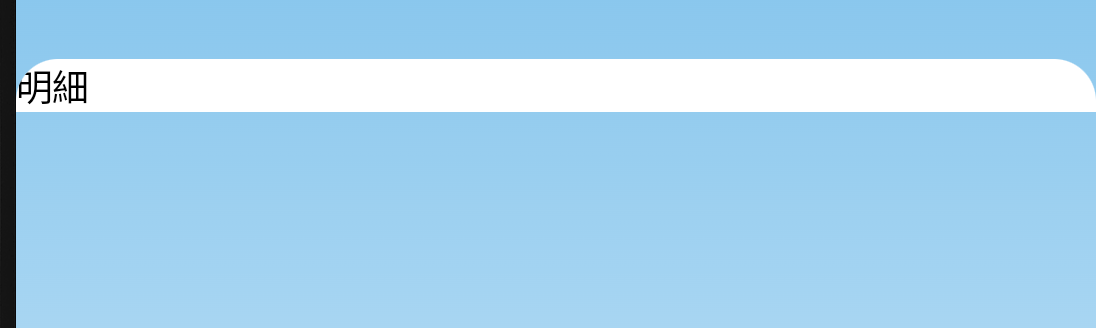
clip裁切
背景裁切
語法
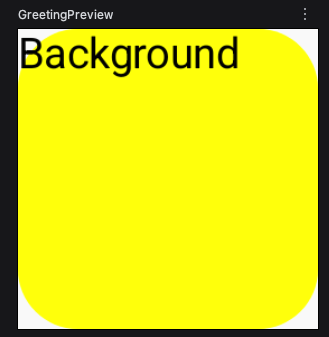
Modifier.background(背景顏色,形狀(半徑))
Modifier.background(Color.Yellow,RoundedCornerShape(20.dp))
以下只有背景圖片有變圓角,但文字沒有被裁切。
1
2
3
4
5
6
7
8
9
10
@Composable
fun testBrush() {
  Box(
    modifier = Modifier
      .size(100.dp)
      .background(Color.Yellow,RoundedCornerShape(20.dp))
  ) {
    Text("Background")
  }
}
內容裁切
語法
Modifier.clip(RoundedCornerShape(20.dp))
以下只有內容被裁切。
1
2
3
4
5
6
7
8
9
10
11
@Composable
fun testBrush() {
  Box(
    modifier = Modifier
      .size(100.dp)
      .background(Color.Yellow)
      .clip(RoundedCornerShape(20.dp))
  ) {
    Text("Background")
  }
}
背景與內容都裁切
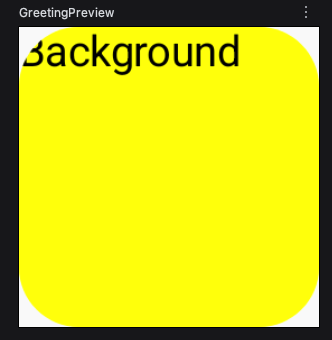
只要把clip()移到background()之前,就會背景跟內容都一起裁切。
1
2
3
4
5
6
7
8
9
10
11
@Composable
fun testBrush() {
  Box(
    modifier = Modifier
      .size(100.dp)
      .clip(RoundedCornerShape(20.dp))
      .background(Color.Yellow)
  ) {
    Text("Background")
  }
}
形狀
- RoundedCornerShape 四邊圓角
- CircleShape 圓形
- CutCornerShape 菱角
- RectangleShape 長方形
RoundedCornerShape 四邊圓角
語法
RoundedCornerShape(半徑)
RoundedCornerShape(16.dp)
圓角半徑是dp為單位。
1
2
3
4
5
6
7
8
9
10
11
@Composable
fun testBrush() {
  Box(
    modifier = Modifier
      .size(100.dp)
      .clip(RoundedCornerShape(16.dp))
      .background(Color.Yellow)
  ) {
    Text("Background")
  }
}
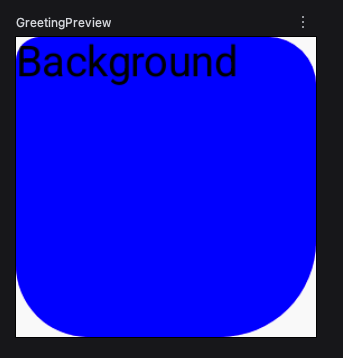
可以設定四個圓角的半徑。
1
2
3
4
5
6
7
8
9
10
11
12
13
14
15
16
@Composable
fun testBrush() {
  Box(
    modifier = Modifier
      .size(100.dp)
      .clip(RoundedCornerShape(
        topStart = 8.dp,
        topEnd = 16.dp,
        bottomStart = 24.dp,
        bottomEnd = 32.dp
      ))
      .background(Color.Blue)
  ) {
    Text("Background")
  }
}
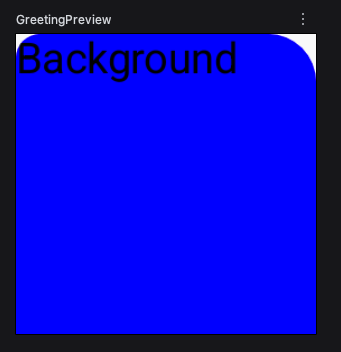
可以只要左上、右上有圓角。
1
2
3
4
5
6
7
8
9
10
11
12
13
14
@Composable
fun testBrush() {
  Box(
    modifier = Modifier
      .size(100.dp)
      .clip(RoundedCornerShape(
        topStart = 8.dp,
        topEnd = 16.dp
      ))
      .background(Color.Blue)
  ) {
    Text("Background")
  }
}
CircleShape 圓形
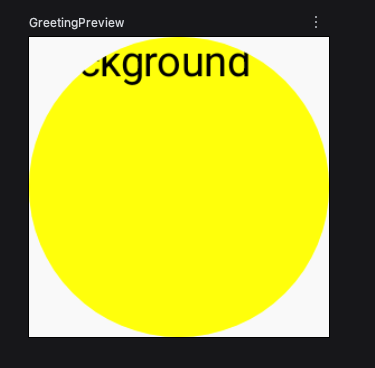
不用給參數,後面也不用帶圓括號()。
1
2
3
4
5
6
7
8
9
10
11
@Composable
fun testBrush() {
  Box(
    modifier = Modifier
      .size(100.dp)
      .clip(CircleShape)
      .background(Color.Yellow)
  ) {
    Text("Background")
  }
}
CutCornerShape
語法
CutCornerShape(浮點數.dp)
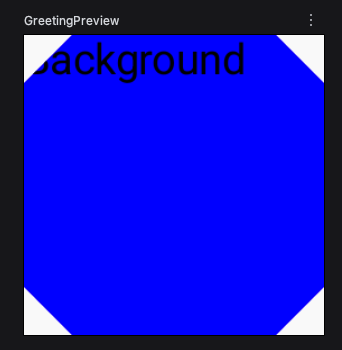
四邊不是圓角,而是斜角,呈現菱形狀。
1
2
3
4
5
6
7
8
9
10
11
@Composable
fun testBrush() {
  Box(
    modifier = Modifier
      .size(100.dp)
      .clip(CutCornerShape(16.dp))
      .background(Color.Blue)
  ) {
    Text("Background")
  }
}
RectangleShape長方形
語法
.clip(RectangleShape)
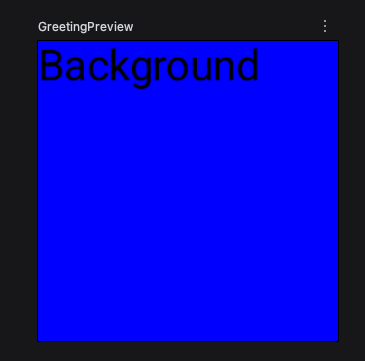
不用給參數,後面也不用帶圓括號()。
1
2
3
4
5
6
7
8
9
10
11
@Composable
fun testBrush() {
  Box(
    modifier = Modifier
      .size(100.dp)
      .clip(RectangleShape)
      .background(Color.Blue)
  ) {
    Text("Background")
  }
}
CornerSize 圓角尺吋
CornerSize提供2種參數:
- 固定大小 16.dp
- 百分比 比例 0.5f = 50% 0.25f = 25%
CornerSize(0.5f)
假設盒子大小為50 * 50,百分比會根據盒子大小,自適應,圓角的直徑。
50 * 0.25 = 12.5 dp
不知為何,以下沒有變化,待查詢。
1
2
3
4
5
6
7
8
9
10
11
@Composable
fun testBrush() {
  Box(
    modifier = Modifier
      .size(100.dp)
      .clip(RoundedCornerShape(CornerSize(0.5f)))
      .background(Color.Blue)
  ) {
    Text("Background")
  }
}
以下是舊的文章
Clip圓角的作用區域
1
.clip(RoundedCornerShape(topStart = 16.dp, topEnd = 16.dp))//頂端二邊有圓角
要放在
.fillMaxSize()與.background()之前
1
2
3
4
5
6
7
Column(modifier = Modifier
    .clip(RoundedCornerShape(topStart = 16.dp, topEnd = 16.dp))//頂端二邊有圓角
    .fillMaxSize() //填滿
    .background(Color.White)//白色
){
Text(text = "明細")
}