animate AsState
Prerequisites:
animate AsState 為產生各個獨立動畫。
animate AsState 狀態改變產生動畫
狀態變化時自動產生動畫效果。
| 函數 | 用途 | 返回值類型 | 常用場景 |
|---|---|---|---|
| animateDpAsState | 動畫化尺寸、間距 | Dp | 大小變化、位移 |
| animateFloatAsState | 動畫化小數值 | Float | 透明度、旋轉、縮放 |
| animateColorAsState | 動畫化顏色 | Color | 顏色過渡 |
animateDpAsState
- 尺寸、間距、位移等與 Dp 相關的值
語法
1
2
3
4
5
val animatedValue: Dp by animateDpAsState(
    targetValue: Dp,                    // 目標值
    animationSpec: AnimationSpec<Dp> = tween(),  // 動畫
    label: String = "DpAnimation"       // 除錯標籤
)
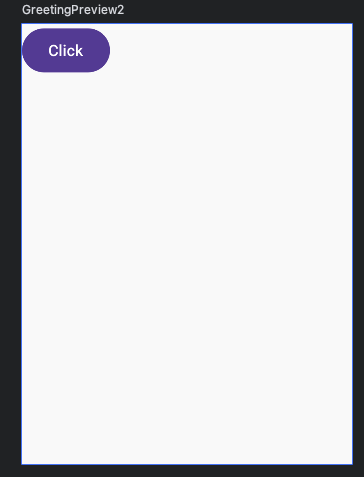
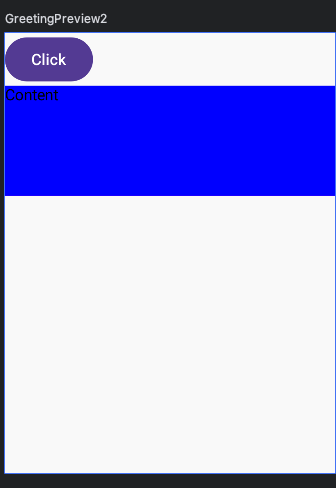
1
2
3
4
5
6
7
8
9
10
11
12
13
14
15
16
17
18
19
20
21
22
23
24
25
26
27
@Composable
fun AnimationDpStateExample() {
  var isExpended by remember { mutableStateOf(false) }
  val animateBoxHeight by animateDpAsState(
    // 高度原本是0 按一下按鈕 變成100
    targetValue = if (isExpended) 100.dp else 0.dp,
    // 動畫
    animationSpec = tween(2000),
    label = "Height Animate"
  )
  Column {
    Button(onClick = {
      isExpended = !isExpended
    }) {
      Text("Click")
    }
    Box(
      modifier = Modifier
        .fillMaxWidth()
        // 會自動轉換成dp
        .height(animateBoxHeight)
        .background(Color.Blue)
    ) {
      Text("Content")
    }
  }
}
animateFloatAsState + graphicsLayer
graphicsLayer把各個獨立動畫 旋轉、透明度、縮小放大,組合在一起,成為一個動畫。
animateFloatAsState 旋轉、透明度、縮小放大與 Float 相關的值。
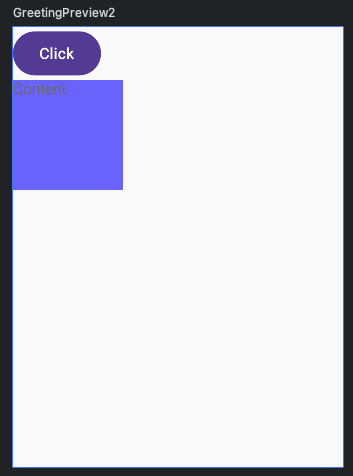
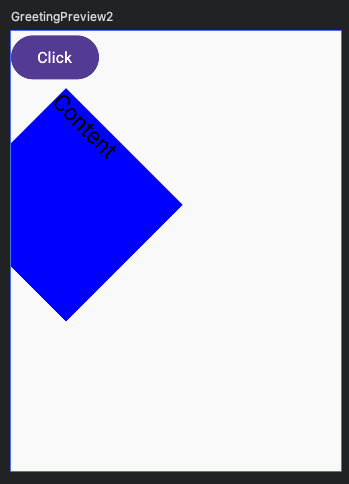
1
2
3
4
5
6
7
8
9
10
11
12
13
14
15
16
17
18
19
20
21
22
23
24
25
26
27
28
29
30
31
32
33
34
35
36
37
38
39
40
41
42
43
44
45
@Composable
fun AnimationFloatStateExample() {
  var isExpended by remember { mutableStateOf(false) }
  val animateRotate by animateFloatAsState(
    targetValue = if (isExpended) 45f else 0f,
    animationSpec = tween(2000),
    label = "Rotate Animate"
  )
  val animateAlpha by animateFloatAsState(
    targetValue = if (isExpended) 1f else 0.5f,
    animationSpec = tween(2000),
    label = "Rotate Animate"
  )
  val animateScale by animateFloatAsState(
    targetValue = if (isExpended) 1.5f else 1.0f,
    animationSpec = tween(2000),
    label = "Scale Animate"
  )
  val animationYOffset by animateDpAsState(
    targetValue = if (isExpended) 60.dp else 0.dp,
    animationSpec = tween(2000),
    label = "Offset Animate"
  )
  Column {
    Button(onClick = {
      isExpended = !isExpended
    }) {
      Text("Click")
    }
    Box(
      modifier = Modifier
        .size(100.dp)
        .offset(y = animationYOffset)
        .graphicsLayer {
          rotationZ = animateRotate
          scaleX = animateScale
          scaleY = animateScale
          alpha = animateAlpha
        }
        .background(Color.Blue)
    ) {
      Text("Content")
    }
  }
}
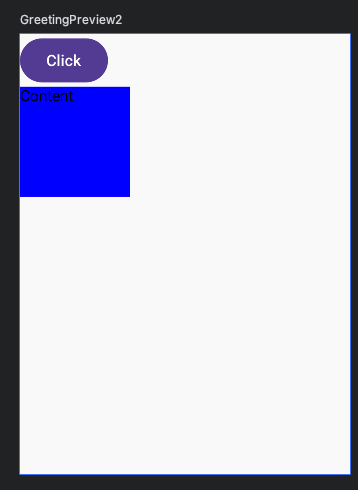
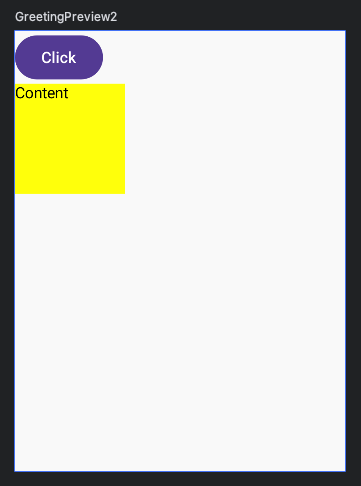
animateColorAsState
- 顏色變化、漸變色轉換
1
2
3
4
5
6
7
8
9
10
11
12
13
14
15
16
17
18
19
20
21
22
23
@Composable
fun AnimationColorStateExample() {
  var isExpended by remember { mutableStateOf(false) }
  val animateBgColor by animateColorAsState(
    targetValue = if (isExpended) Color.Yellow else Color.Blue,
    animationSpec = tween(2000),
    label = "Color Animate"
  )
  Column {
    Button(onClick = {
      isExpended = !isExpended
    }) {
      Text("Click")
    }
    Box(
      modifier = Modifier
        .size(100.dp)
        .background(animateBgColor)
    ) {
      Text("Content")
    }
  }
}