JetpackCompose 準備
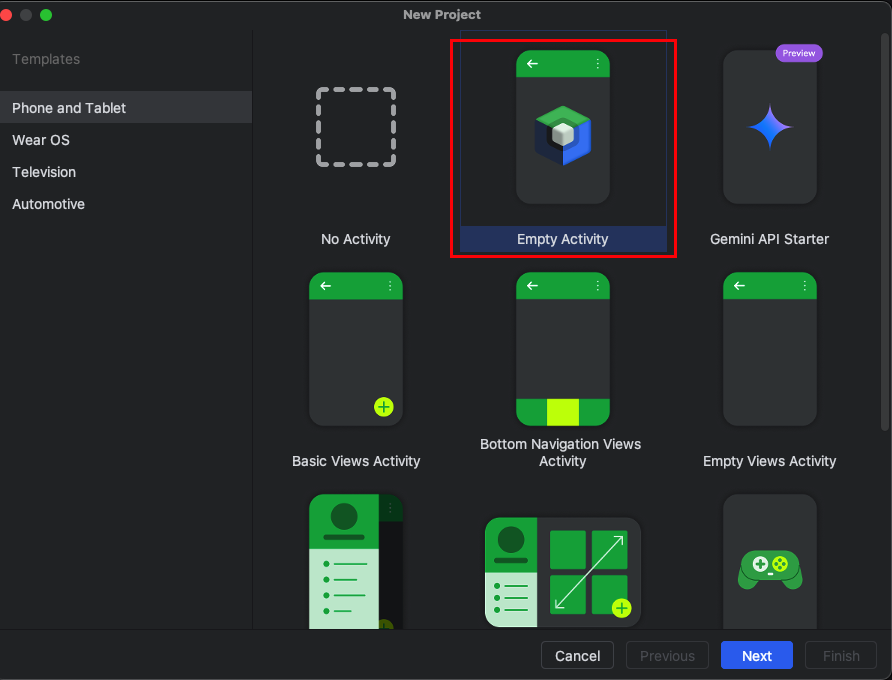
安裝JetpackCompse
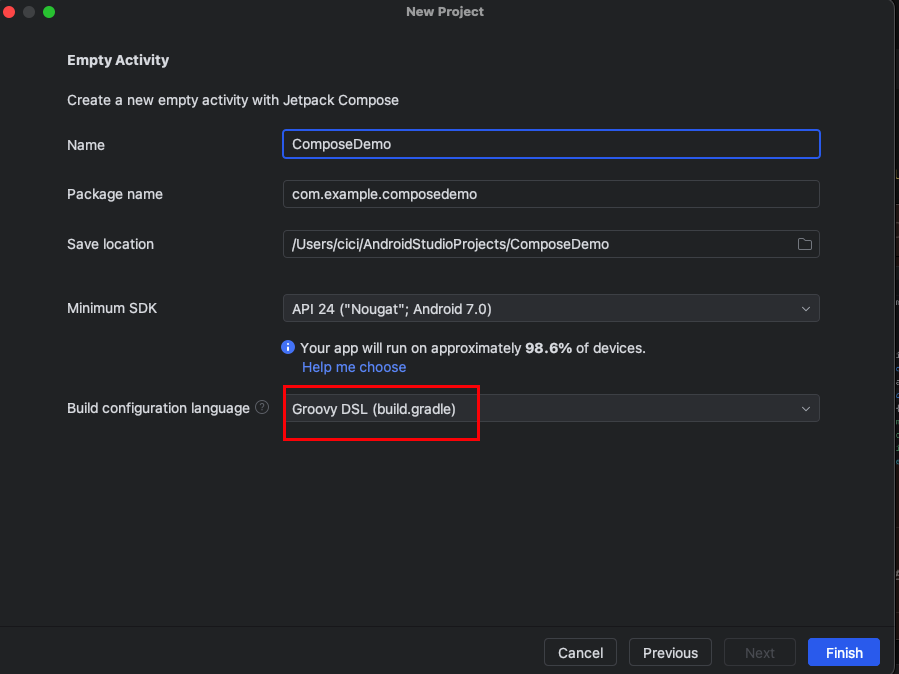
選擇Groovy
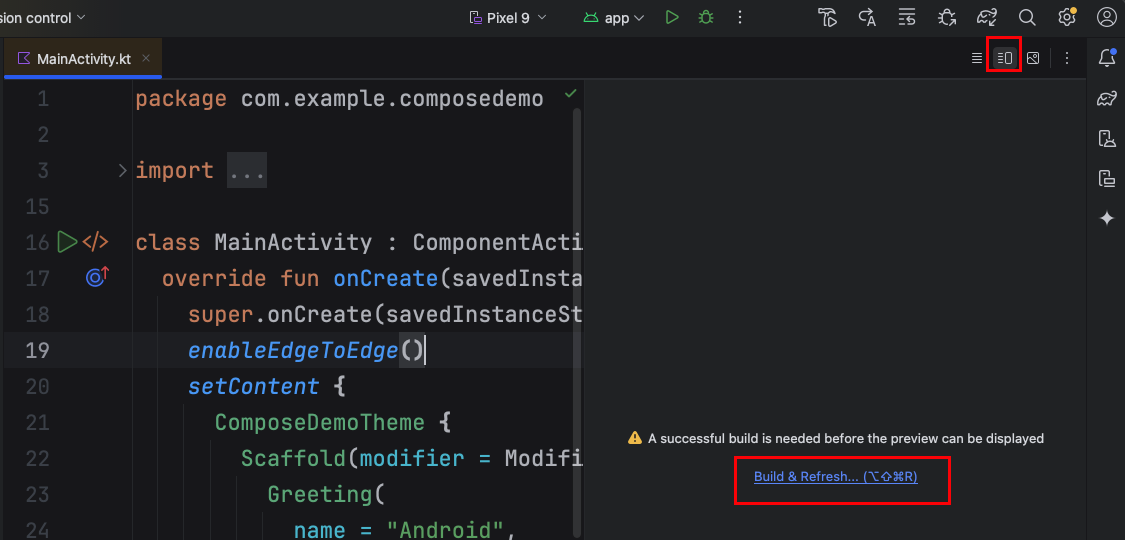
alt + cmd + shift + r
成功會出現以下的圖片
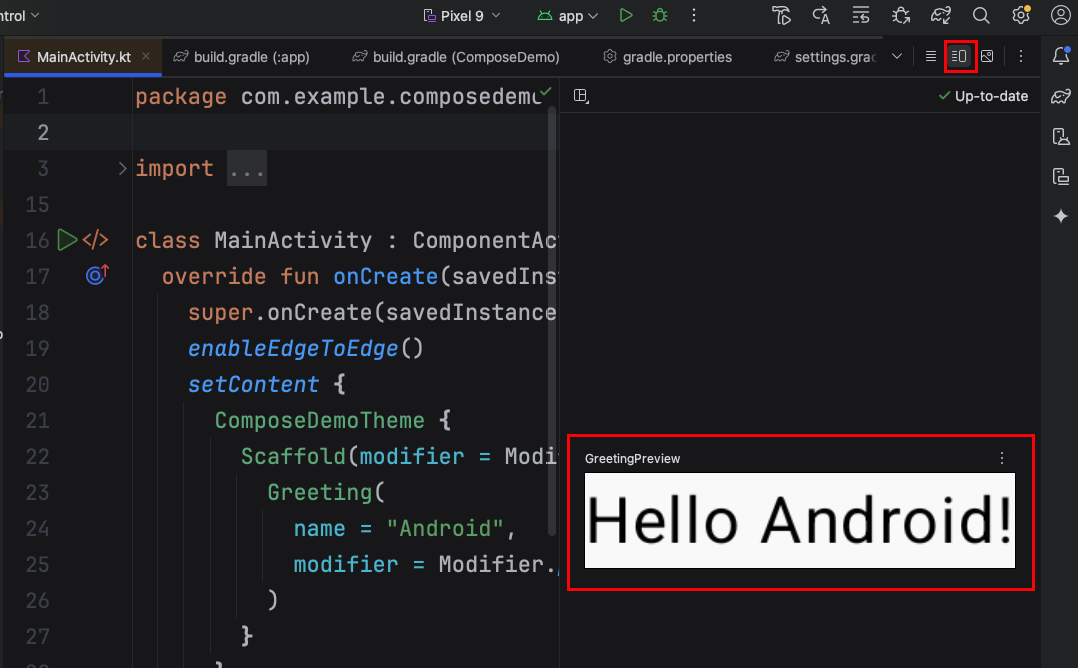
畫面顯示全部仰賴@Preview,使用@Preview可預覽畫面。
@Preview的GreetingPreview()函式,是沒有參數的。
(showBackground = true)預覽畫面的背景有顏色,可以去掉。
1
2
3
4
5
6
7
@Preview(showBackground = true)
@Composable
fun GreetingPreview() {
  ComposeDemoTheme {
    Greeting("Android")
  }
}
testUI()
若有錯誤,請至下方錯誤排除。
錯誤排除
更新gradle
如果有出現以下這個錯誤
1.  Dependency 'androidx.navigationevent:navigationevent-android:1.0.0' requires Android Gradle plugin 8.9.1 or higher.

      This build currently uses Android Gradle plugin 8.9.0.
Project下的build.gradle
1
2
3
4
5
6
7
8
9
10
11
12
13
14
15
16
// Top-level build file where you can add configuration options common to all sub-projects/modules.
buildscript {
    repositories {
        google()
        mavenCentral()
    }
    dependencies {
        classpath("com.android.tools.build:gradle:8.9.1")
        classpath("org.jetbrains.kotlin:kotlin-gradle-plugin:1.9.0")
    }
}
plugins {
alias(libs.plugins.android.application) apply false
    alias(libs.plugins.kotlin.android) apply false
    alias(libs.plugins.kotlin.compose) apply false
}
更新版本
  1.  Dependency 'androidx.navigationevent:navigationevent-android:1.0.0' requires libraries and applications that
      depend on it to compile against version 36 or later of the
      Android APIs.

      :app is currently compiled against android-35.

      Recommended action: Update this project to use a newer compileSdk
      of at least 36, for example 36.
App下的build.gradle,compileSdk改成36
1
2
3
4
5
6
7
8
android {
    namespace 'com.example.composedemo'
    compileSdk 36

    .
    .
    .
}