border
語法
border(width = 邊框厚度, color = 顏色)
border(width = 2.dp, color = Color.Red)
Box 與 border
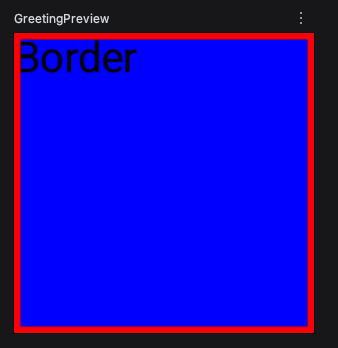
1
2
3
4
5
6
7
8
9
10
11
@Composable
fun testBorder() {
  Box(
    modifier = Modifier
      .size(100.dp)
      .border(width = 2.dp, color = Color.Red)
      .background(Color.Blue)
  ) {
    Text("Border")
  }
}
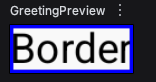
Text 與 border
1
2
3
4
5
6
7
8
9
10
@Composable
fun testBorder() {
  Text(
    text = "Border",
    modifier = Modifier
      .border(
        width = 1.dp, color = Color.Blue
      )
  )
}
border 與 形狀
- RoundedCornerShape 四邊圓角
- CircleShape 圓形
- CutCornerShape 菱角
- RectangleShape 長方形
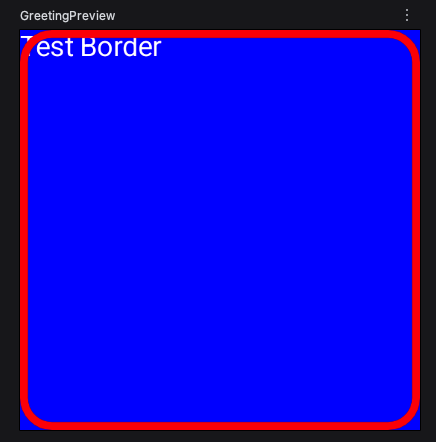
1
2
3
4
5
6
7
8
9
10
11
12
13
14
15
@Composable
fun testBorder() {
  Box(
    modifier = Modifier
      .size(200.dp)
      .border(
        width = 4.dp,
        color = Color.Red,
        shape = RoundedCornerShape(16.dp)
      )
      .background(Color.Blue)
  ) {
    Text("Test Border", color = Color.White)
  }
}
border 與 brush
Prerequisites:
border使用brush參數,要搭配width、shape參數。
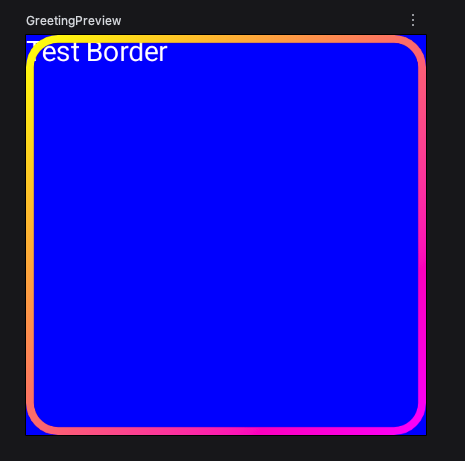
1
2
3
4
5
6
7
8
9
10
11
12
13
14
15
16
17
@Composable
fun testBorder() {
  Box(
    modifier = Modifier
      .size(200.dp)
      .border(
        width = 4.dp,
        brush = Brush.linearGradient(
          colors = listOf(Color.Yellow, Color.Magenta)
        ),
        shape = RoundedCornerShape(16.dp)
      )
      .background(Color.Blue)
  ) {
    Text("Test Border", color = Color.White)
  }
}
border 與 padding
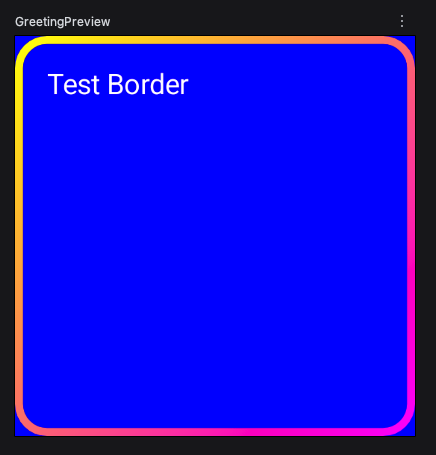
加上padding,裡面的文字就會放進框線中。
1
2
3
4
5
6
7
8
9
10
11
12
13
14
15
16
17
18
@Composable
fun testBorder() {
  Box(
    modifier = Modifier
      .size(200.dp)
      .border(
        width = 4.dp,
        brush = Brush.linearGradient(
          colors = listOf(Color.Yellow, Color.Magenta)
        ),
        shape = RoundedCornerShape(16.dp)
      )
      .background(Color.Blue)
      .padding(16.dp)
  ) {
    Text("Test Border", color = Color.White)
  }
}