debug 中斷點
debug 介紹
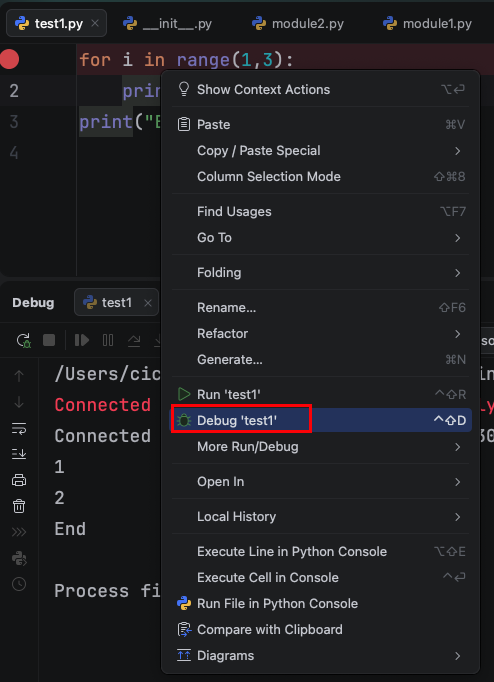
執行debug:
滑鼠右鍵,選Debug '檔名'
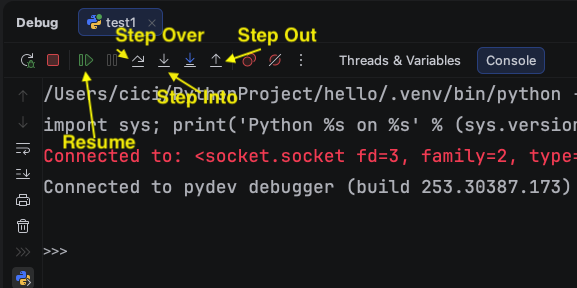
- Step over F8 執行目前行數
- Step into F7 進入函式
- Step out
Shift+F8離開函式 - Resume 跳到下一個中斷點
Console的按鈕 與 觀察變數的按鈕。
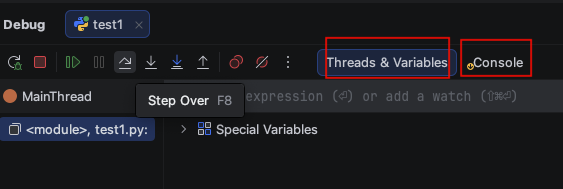
for 迴圈debug
程式碼
1
2
3
for i in range(1,3):
    print(i)
print("End")
設中斷點在for i in range(1,3):,執行Debug,點擊鍵盤 F8 (Step Over),執行此行。
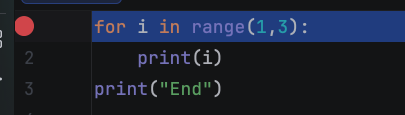
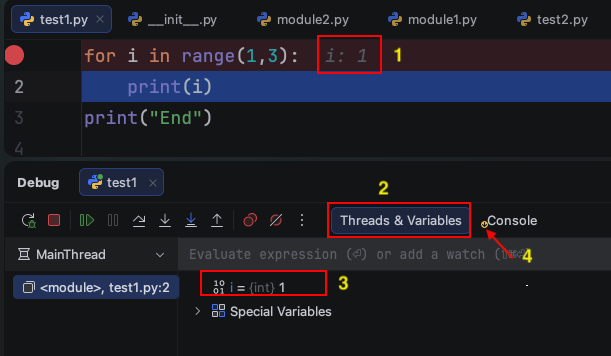
移到print(i),點擊鍵盤 F8 (Step Over),執行此行。
- i變數目前為1
- Threads&Variables 視窗按鈕
- 變數目前的值
i = 1。 - Console有黃色小圈圈代表,Console有輸出。
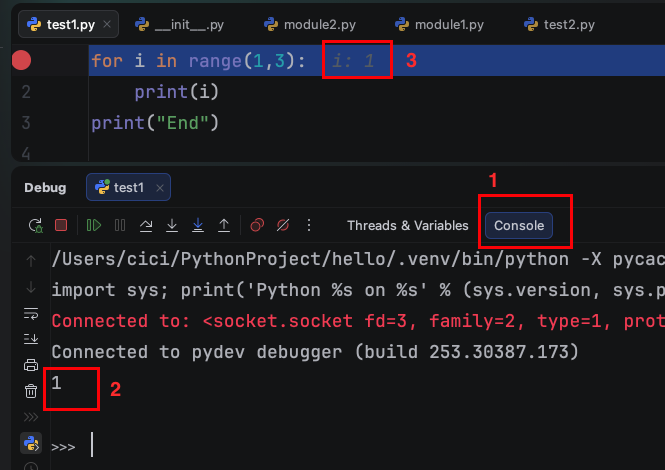
- 按Console的按鈕
- 發現Console輸出1
- i變數目前仍為1。
移到for i in range(1,3):,點擊鍵盤 F8 (Step Over),執行此行。
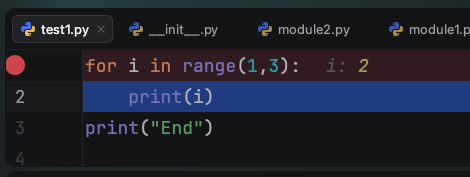
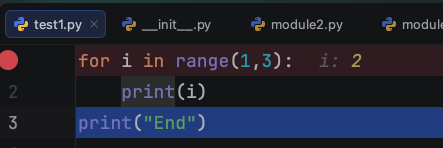
移到print(i),此時i變為為2,點擊鍵盤 F8 (Step Over),執行此行。
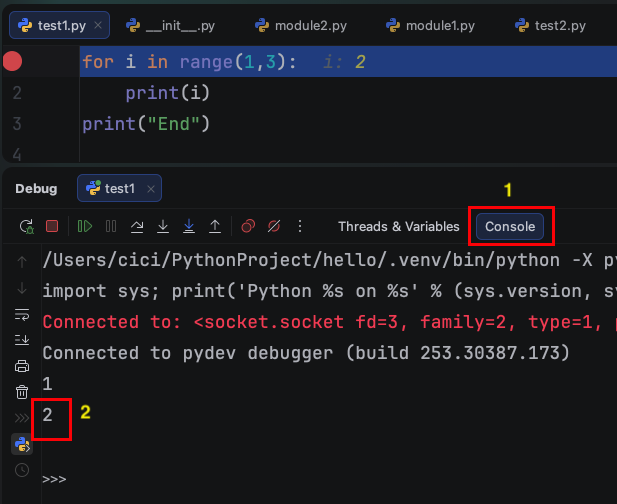
- 按Console的按鈕
- 發現Console輸出2
- i變數目前仍為2。
移到for i in range(1,3):,點擊鍵盤 F8 (Step Over),執行此行。
移到print("End"),點擊鍵盤 F8 (Step Over),執行此行。
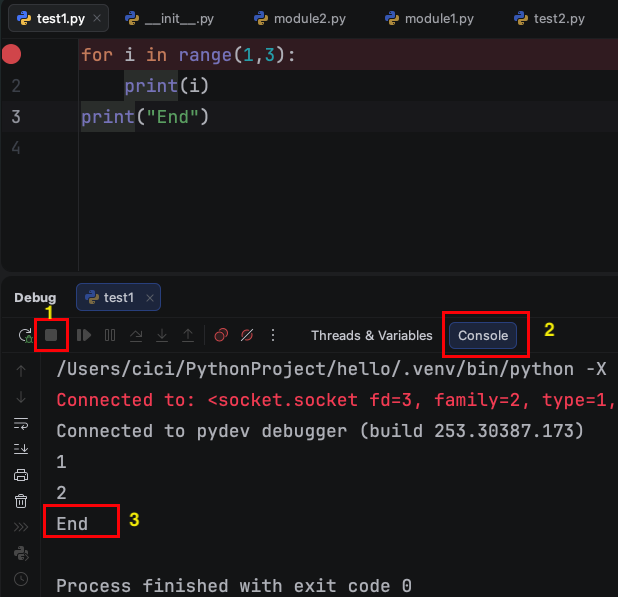
- Debug正方形已經變成灰色。
- 按Console的按鈕
- 輸出End。
Step over 執行一行
Step Over 的快速鍵是 F8,執行目前行數。
以下程式碼,主程式會呼叫f1()函式,f1函式會呼叫f2()函式。
1
2
3
4
5
6
7
8
9
10
11
12
13
14
15
16
def f2():
    sum = 0
    for i in range(5):
        sum += i
        print(f"i = {i}")
    return sum


def f1():
    print("Hello")
    result = f2()
    print("result = ", result)

print("Start ...")
f1()
print("Finish ...")
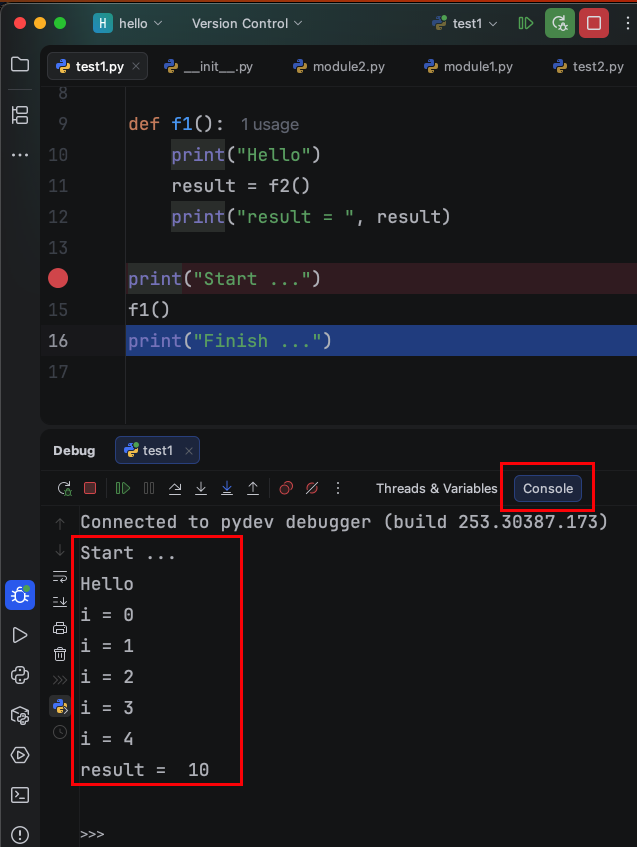
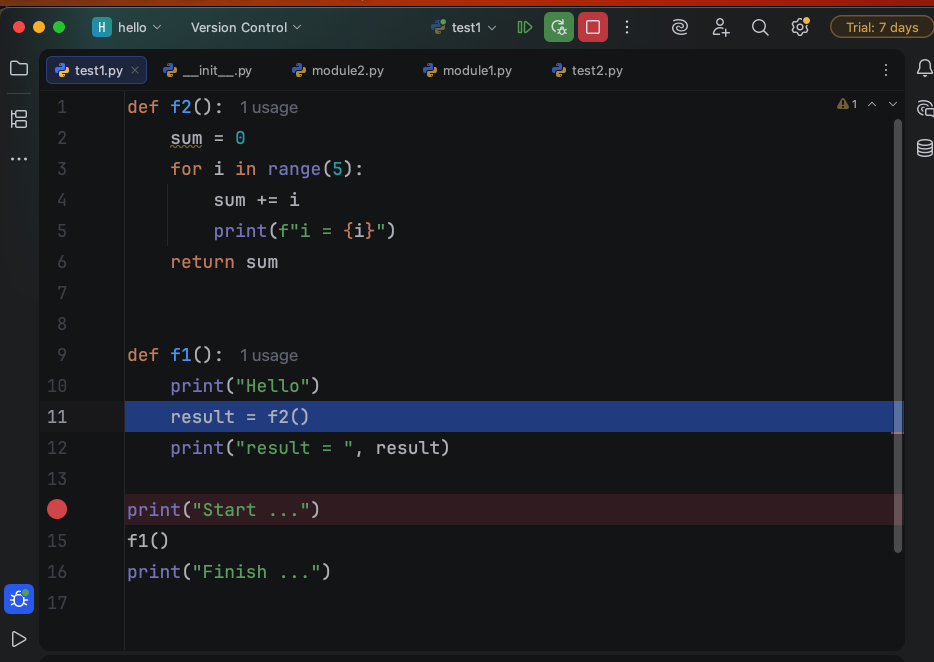
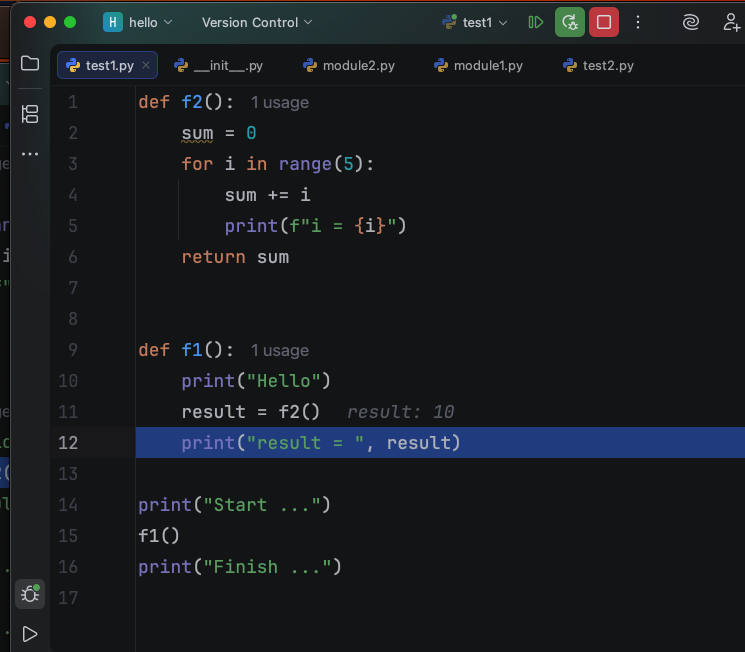
以上的程式碼設置中斷點在print("Start ..."),執行debug,點擊鍵盤 F8 (Step Over),執行此行。
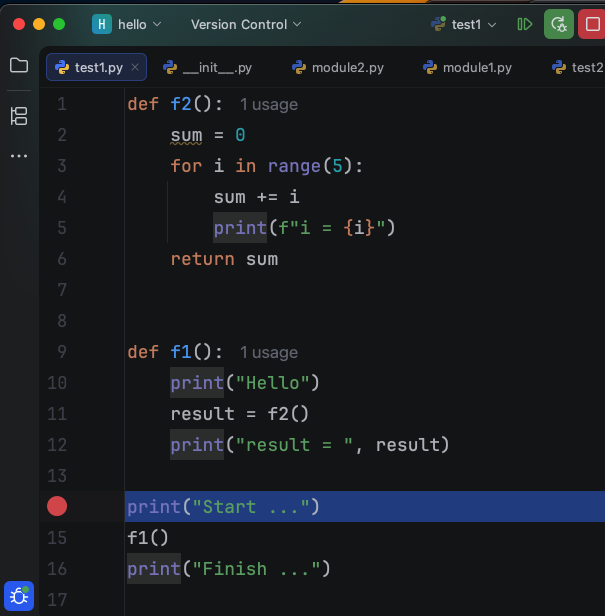
移到f1(),點擊鍵盤 F8 (Step Over),執行此行。
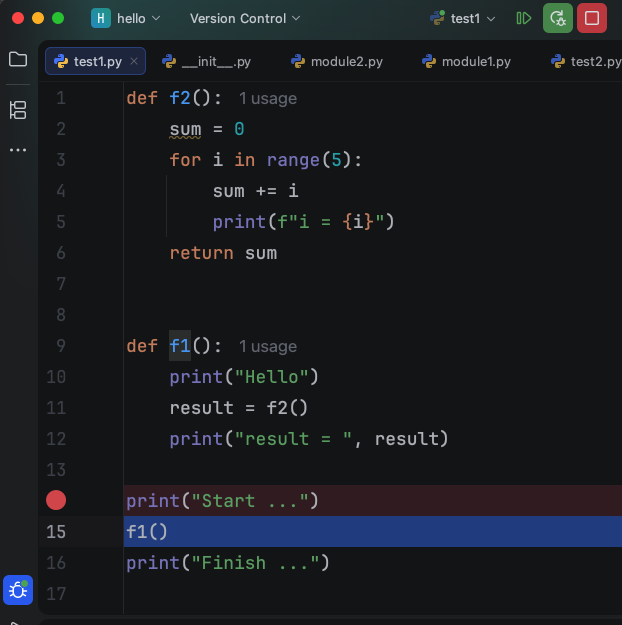
移到print("Finish ..."),不會進入f1()函式,而是執行完 f1() 函式內的程式碼,下方的圖片,點擊console,會輸出f1()與f2()函式執行結果。
Step into 進入函式
Step into 的快速鍵是 F7,進入函式。
程式碼設置中斷點在print("Start ..."),執行debug,點擊鍵盤 F8(Step Over),執行此行。
移到f1(),點擊鍵盤 F7(Step into),進入函式。
就會進入到f1()函式,並移到f1()函式第一行print("Hello"),點擊鍵盤 F8 (Step Over),執行此行
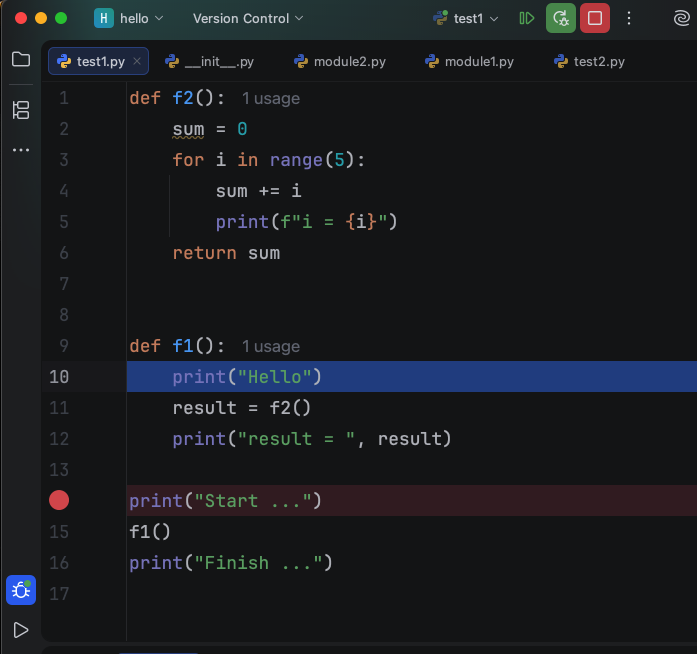
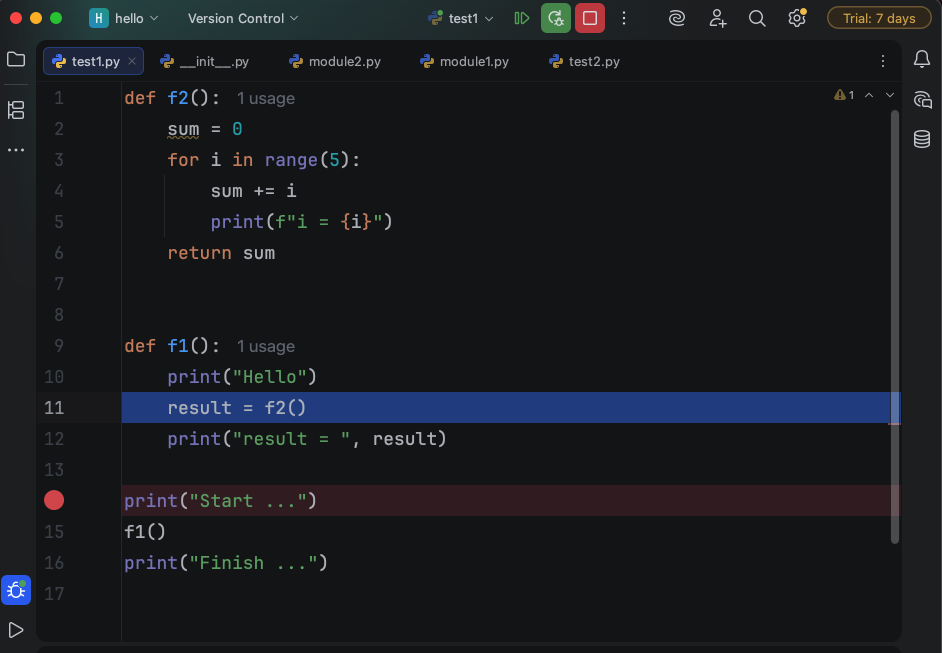
移到f1()函式result = f2(),點擊鍵盤 F7(Step into),進入函式。
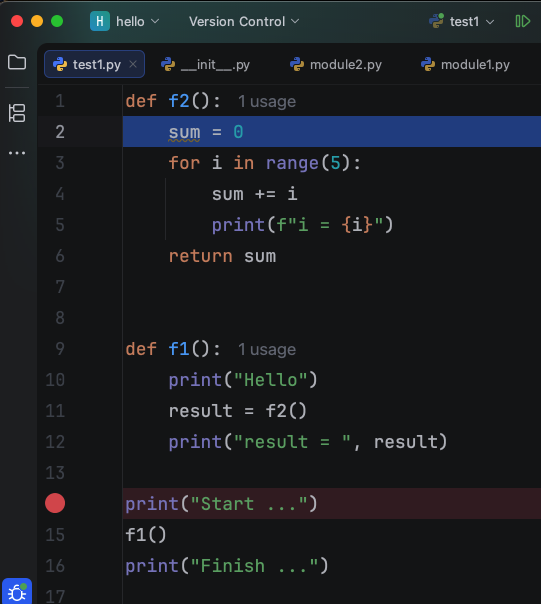
就會進入到f2()函式,並移到第一行sum = 0。
Step out 離開函式
Step out 的快速鍵是 Shift + F8,離開函式。
點擊鍵盤 Shift + F8(Step out),離開函式。
移到f1()函式result = f2()。
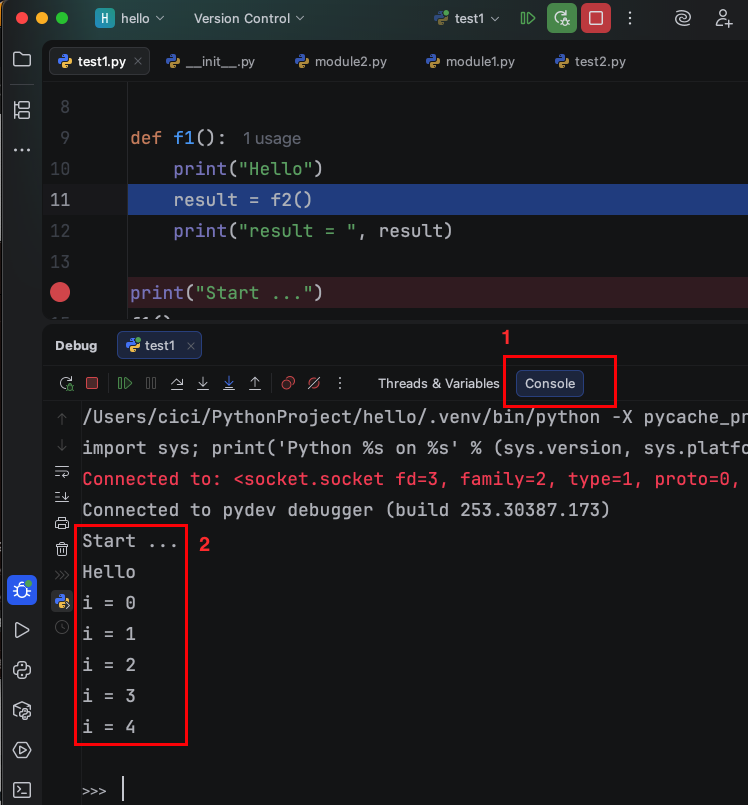
點擊Console,會發現f2()的函式結果都執行在console,證明Step out離開f2()函式時,也會把f2()函式執行完畢。
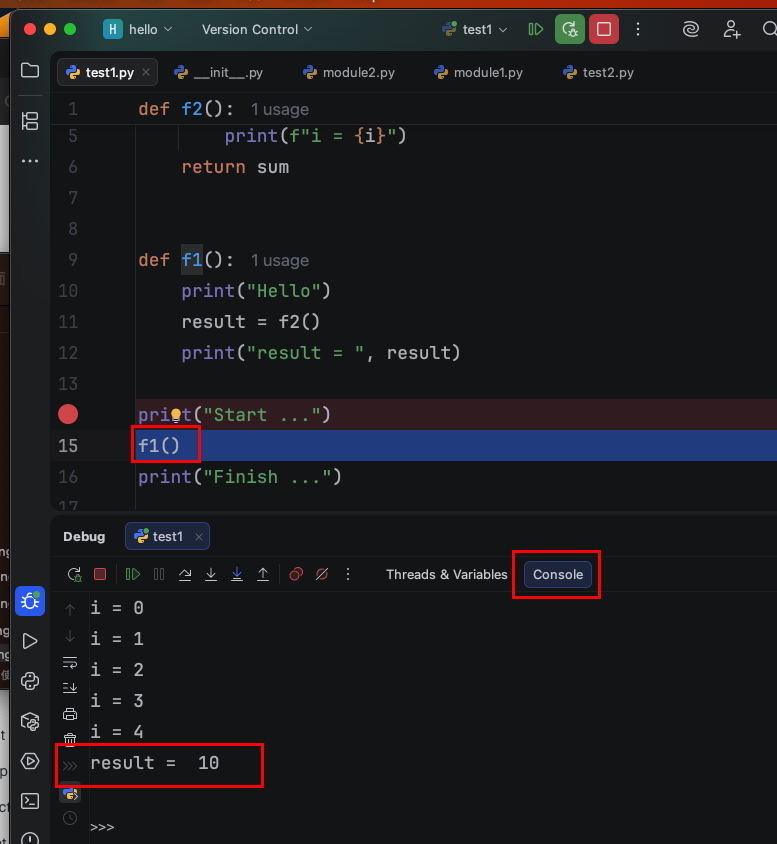
點擊鍵盤 Shift + F8(Step out),離開f1()函式。
移回呼叫f1()函式的位置,點開console,也有輸出result = 10,證明Step out離開f1()函式時,也會把f1()函式執行完畢。
Step out 執行並離開目前迴圈
在f2()函式中,在for 迴圈中的程式碼sum += i 設中斷點,執行Debug。
點擊鍵盤 Shift + F8(Step out),試圖離開函式。
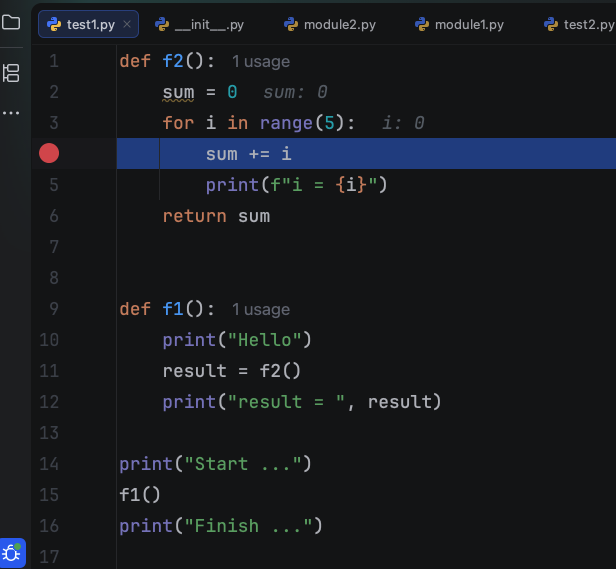
但發現無法離開f2()函式,i還變成1,因為Step out遇上迴圈,是執行完目前的迴圈,並離開目前的迴圈,移到下一個迴圈,所以i才會變成1。
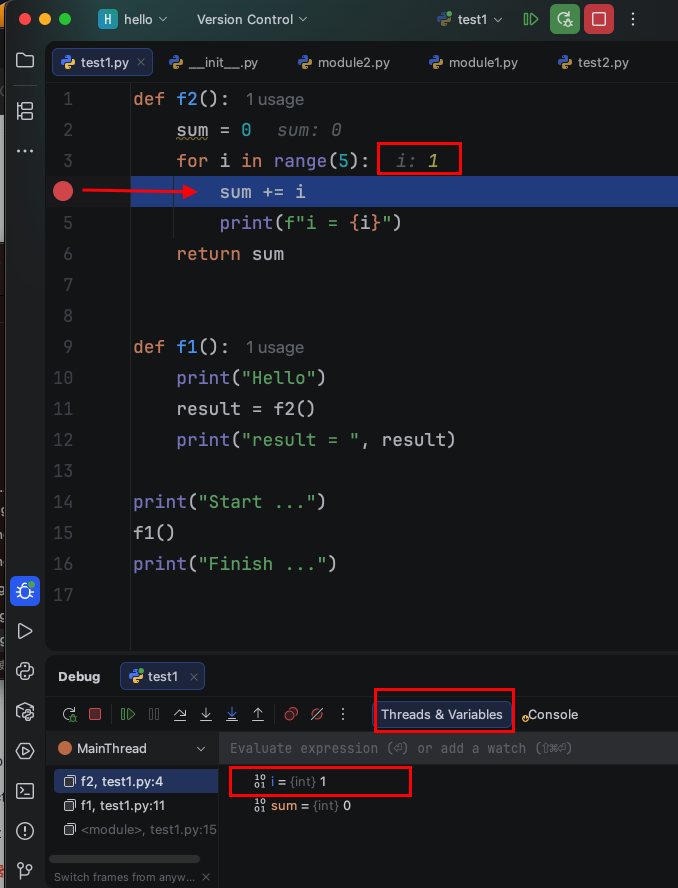
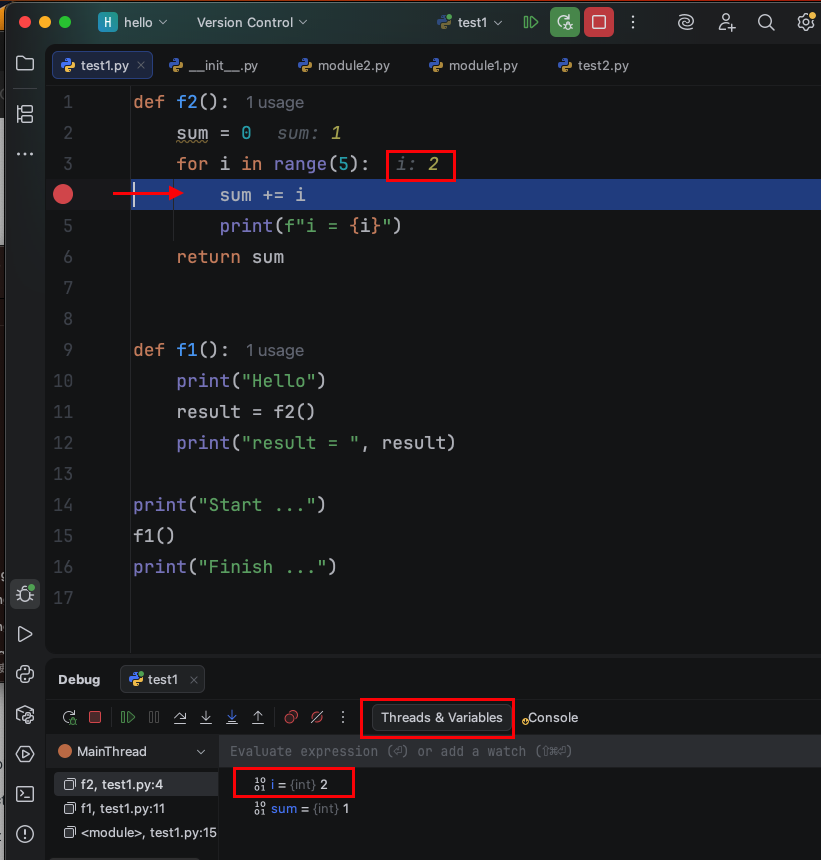
點擊鍵盤 Shift + F8(Step out),執行並離開目前的迴圈,移到下一個迴圈,i變成2。
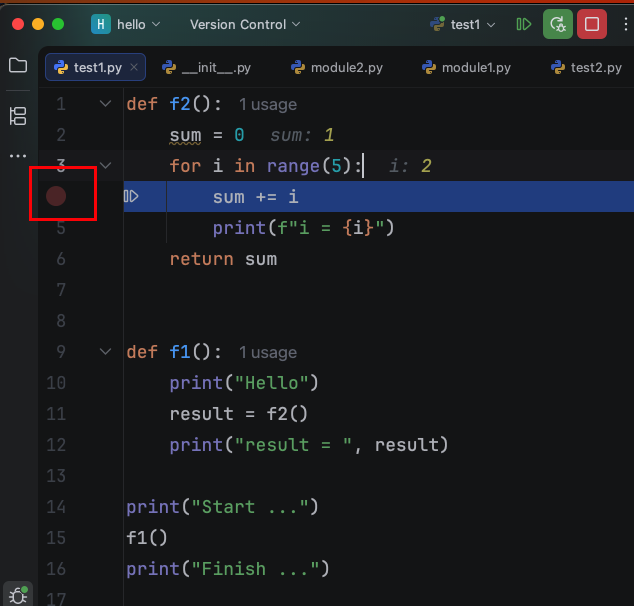
若要離開f2()函式,將迴圈中的中斷點取消,再點擊鍵盤 Shift + F8 (Step out),就會離開f2()函式。
移到一開始呼叫f2()的那行程式碼result = f2()。
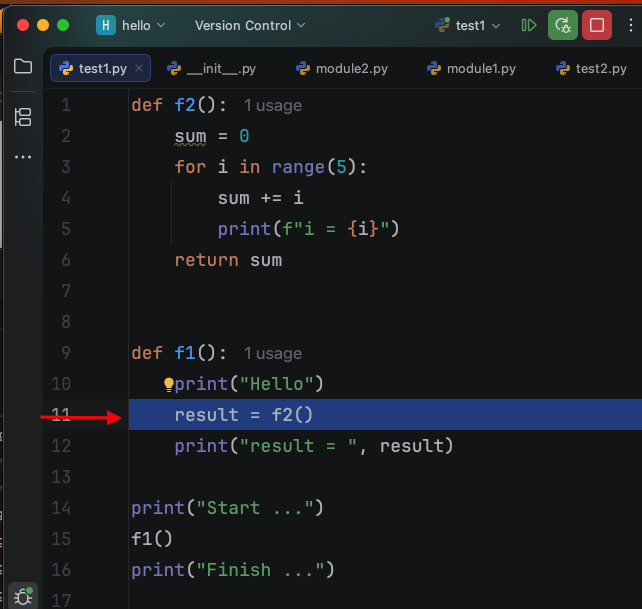
點擊鍵盤 F8(Step Over),就會移到下一行程式碼,不會再次Step into進入f2()函式。
index out of range debug
程式碼
1
2
3
4
5
list1 = ["Hello", "World"]
i = 0
while i <= len(list1):
    print(list1[i])
    i += 1
中斷點設在i = 0,執行Debug,點擊鍵盤 F8 (Step Over),執行此行。
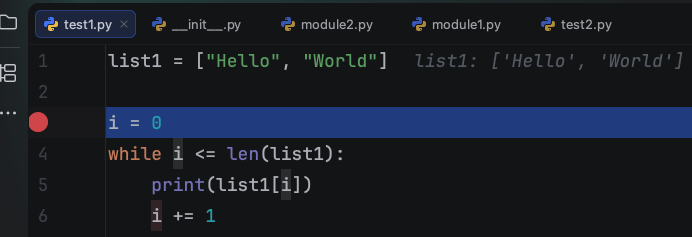
移到while i <= len(list1):,此時 i 為 0。
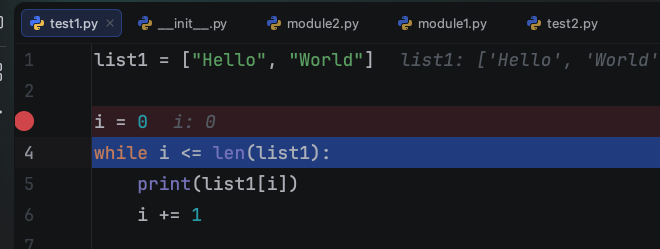
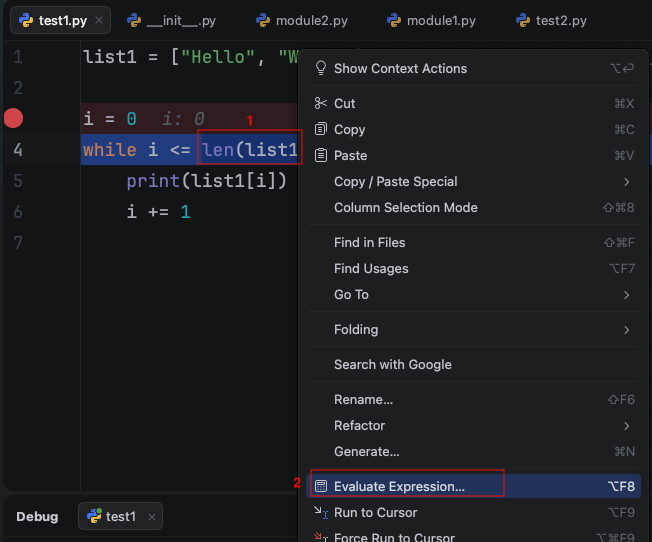
滑鼠選取len(list1),請仔細看出圖中len(list1)底色是偏深藍。
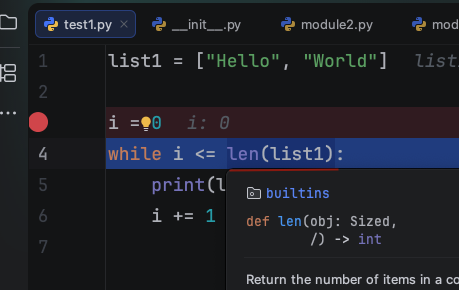
滑鼠右鍵,有Evaluate Expression的選項。
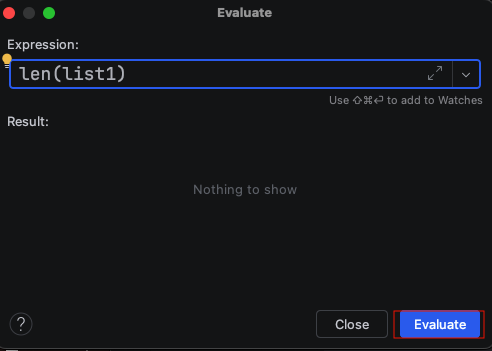
點擊Evalute按鈕。
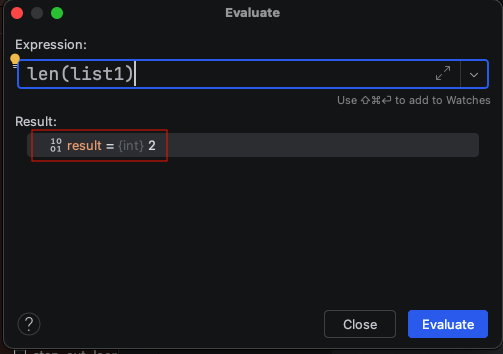
len(list1)的運算結果為result = (int)2,2就是結果。
回到while i <= len(list1):,點擊鍵盤 F8 (Step Over),執行此行。
移到print(list1[i]),點擊鍵盤 F8 (Step Over),執行此行。
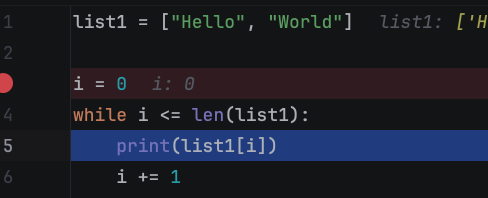
移到i += 1,點擊鍵盤 F8 (Step Over),執行此行。
點擊Console,會發現已輸出Hello。
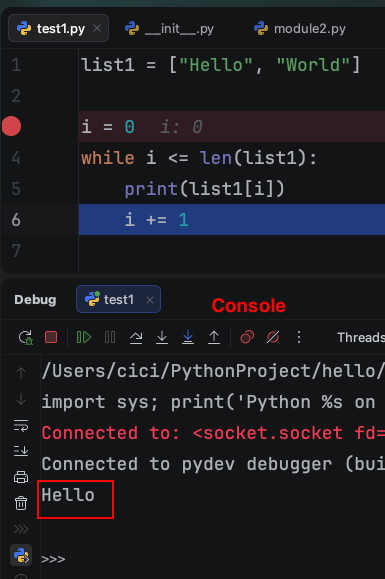
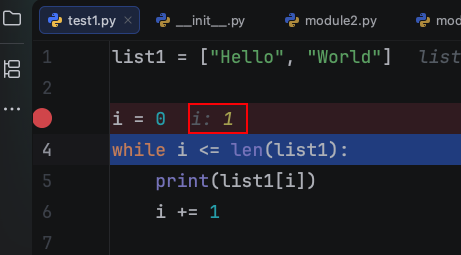
回到while i <= len(list1):,此時 i 變為 1 。
點擊鍵盤 F8 (Step Over),執行此行。
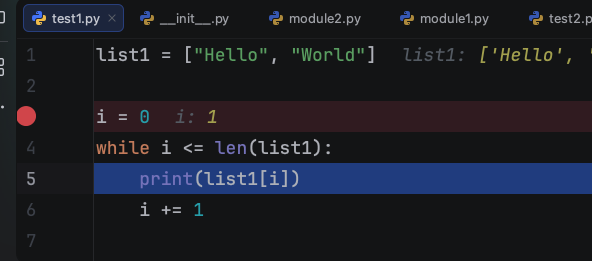
移到print(list1[i]),點擊鍵盤 F8 (Step Over),執行此行。
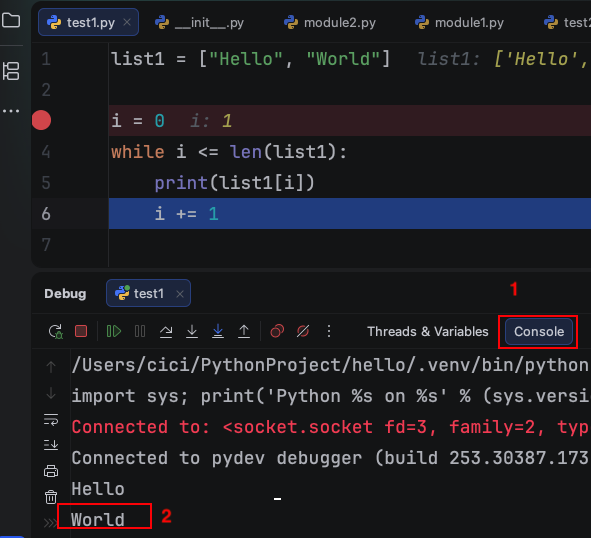
點擊Console,會發現已輸出World。
點擊鍵盤 F8 (Step Over),執行i += 1。
回到while i <= len(list1):,此時 i 變為 2 。
點擊鍵盤 F8 (Step Over),執行此行。
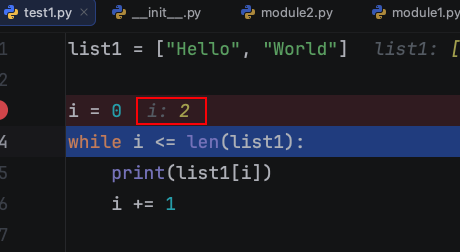
移到print(list1[i]),點擊鍵盤 F8 (Step Over),執行此行。
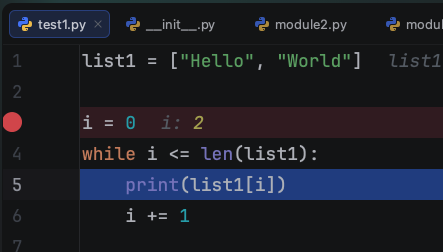
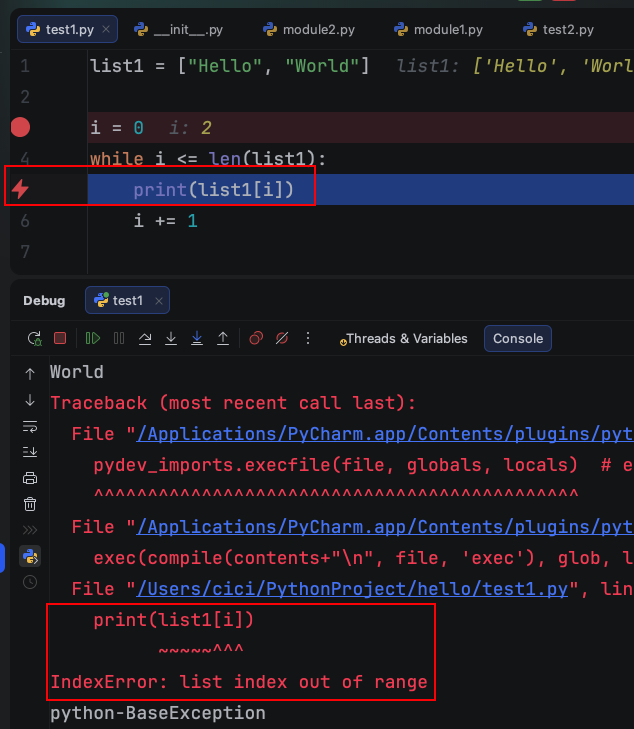
會發現有閃電符號在print(list1[i])這行,代表此行執行有錯誤。
Console也會有IndexError的訊息。
Resume F9 跳到中斷點執行
點擊鍵盤 F9 (Resume),直接跳到中斷點執行。