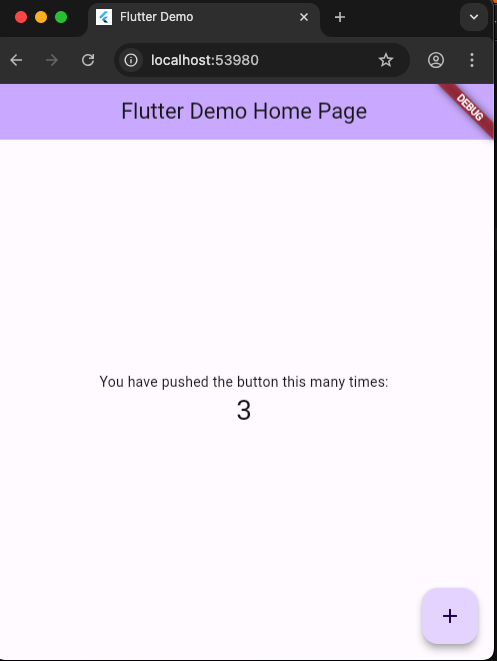
安裝flutter
OS 版本 : macOS 13
git clone flutter
從來沒有 git clone flutter
# 切换到指定版本
cd ~/development  # 或者你的 Flutter 安装目录
git clone https://github.com/flutter/flutter.git -b 3.16.9 --depth 1
曾經 git clone flutter
# 如果已经安装了 Flutter,可以切换版本
cd [你的 flutter 路径]
git checkout 3.16.9
修改zshrc
編輯
vi ~/.zshrc
增加flutter bin 執行檔目錄
export PATH="安裝路徑/flutter/bin:$PATH"
儲存
source ~/.zshrc
version
會安裝跟版本相對應的工具
flutter --version
檢查環境
flutter doctor -v
TRAE
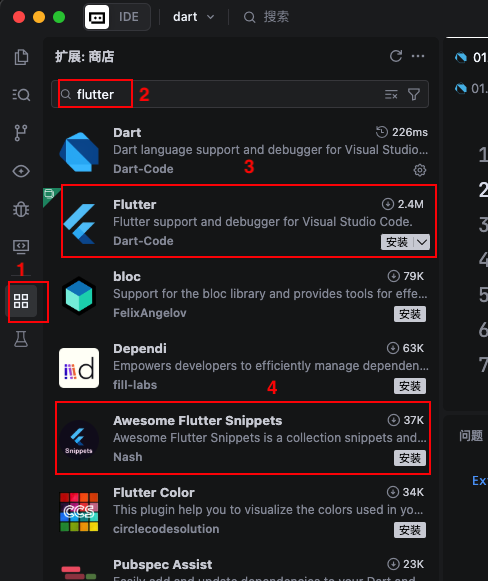
打開TRAE,安裝flutter與 Awesome Flutter Snippets
建立專案
建立一個目錄
使用終端機
cd 你剛才建的目錄
flutter create --platforms web 你要建立的專案
專案會在原本的目錄下,再建立一個子目錄,目錄名與專案名一樣
我實際輸入
% cd flutterProj
% flutter create --platforms web flutter_base
打開專案
打開專案,打開lib目錄下main.dart,點擊main()主函式上方的Run,參考下圖:
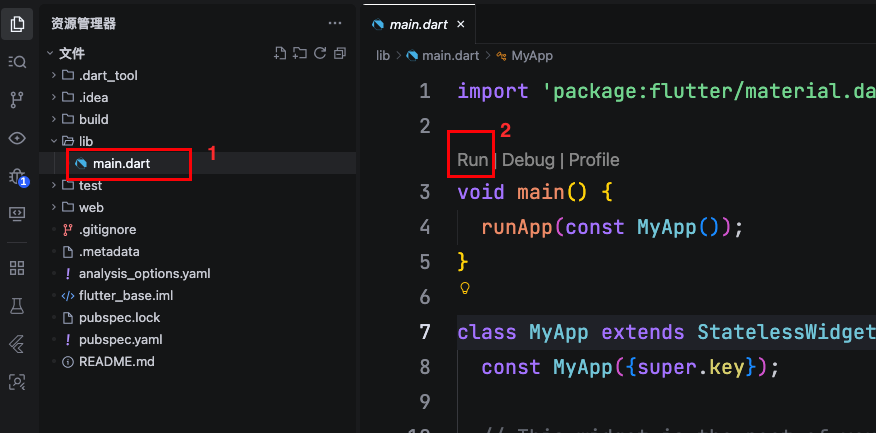
就會執行chrome