Container
Container
| 分類 | 屬性 | 說明 |
|---|---|---|
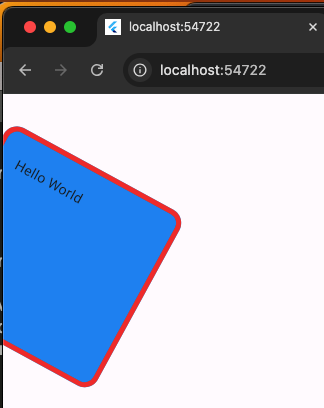
| 對齊 | alignment | center,topLeft(左上角) |
| 寬高 | width,height | 整數、double.infinity為跟父元素一樣寬/高 |
| 間距 | margin,padding | margin物體與外面間距,padding物體內間距 |
| 顏色 | color | 背景顏色 |
| 裝飾 | color,decoration | 背景顏色、decoration圓角、border顏色 |
| 旋轉 | transform | 旋轉 |
| 子widget元件 | child | 只能「一個」子佈局元件,不能多個 |
1
2
3
4
5
6
7
8
9
10
11
12
13
14
15
16
17
18
19
20
21
22
23
24
25
26
27
28
29
30
31
32
33
34
35
36
37
38
39
import 'package:flutter/material.dart';

void main() {
  runApp(MainPage());
}

lass MainPage extends StatelessWidget {
  const MainPage({Key? key}) : super(key: key);

  @override
  Widget build(BuildContext context) {
    return MaterialApp(
        home: Scaffold(
      body: Container(
        // 旋轉
        transform: Matrix4.rotationZ(0.5),
        // 與外圍間距
        margin: EdgeInsets.all(20),
        // 內部間距
        padding: EdgeInsets.all(20),
        // 對齊
        alignment: Alignment.topLeft,
        width: 200,
        height: 200,
        // 裝飾,邊框用decoration
        decoration: BoxDecoration(
          // 背景顏色
          color: Colors.blue,
          // 圓角
          borderRadius: BorderRadius.circular(15),
          // 邊框
          border: Border.all(width: 5, color: Colors.red),
        ),
        // 只能一個子元件
        child: Text("Hello World"),
      ),
    ));
  }
}
double.infinity
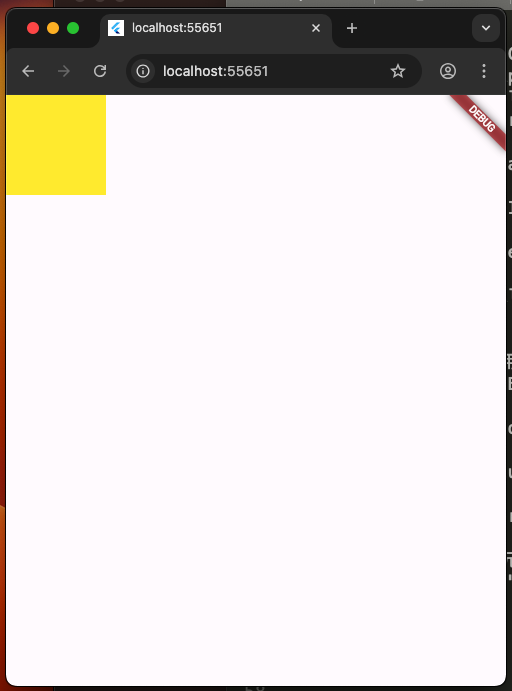
寬高100。
1
2
3
4
5
6
7
8
9
10
11
12
13
14
15
16
17
18
19
import 'package:flutter/material.dart';

void main() {
  runApp(MainPage());
}

class MainPage extends StatelessWidget {
  const MainPage({Key? key}) : super(key: key);
  @override
  Widget build(BuildContext context) {
    return MaterialApp(
        home: Scaffold(
            body: Container(
      width: 100,
      height: 100,
      color: Colors.yellow,
    )));
  }
}
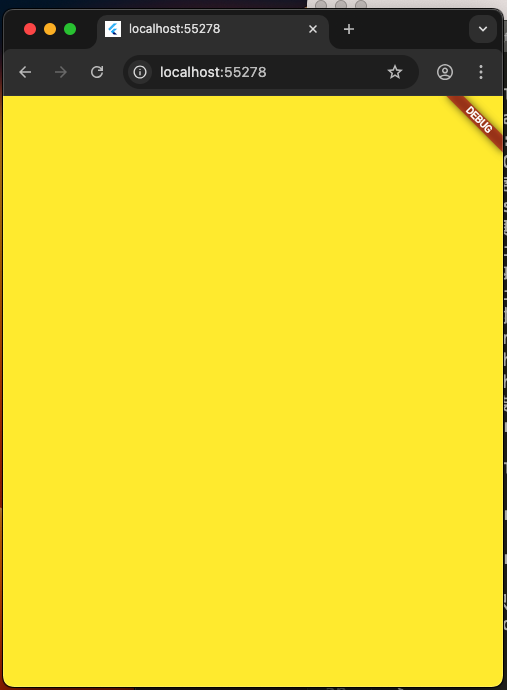
寬高是double.infinity(無限),上下左右拉伸跟父元件一樣大。
1
2
3
4
5
6
7
8
9
10
11
12
13
14
15
16
17
18
19
import 'package:flutter/material.dart';

void main() {
  runApp(MainPage());
}

class MainPage extends StatelessWidget {
  const MainPage({Key? key}) : super(key: key);
  @override
  Widget build(BuildContext context) {
    return MaterialApp(
        home: Scaffold(
            body: Container(
      width: double.infinity,
      height: double.infinity,
      color: Colors.yellow,
    )));
  }
}