Langchain Gemini
安裝langchain
進入終端機
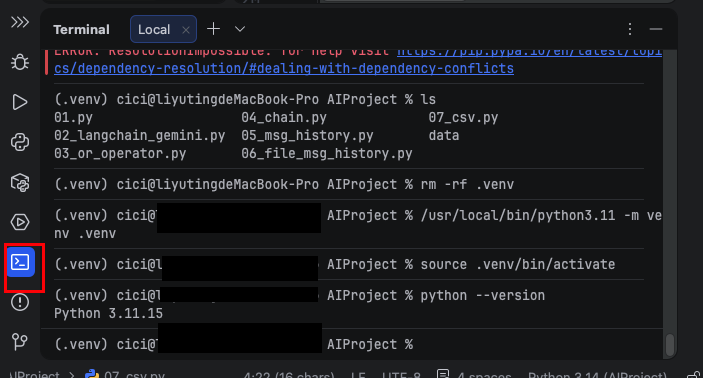
以下是在MAC安裝,Windows請用pip,而不是pip3。
pip3 install langchain
pip3 install langchain-core
如果llms沒有在以下網址 https://langchain.cadn.net.cn/python/docs/integrations/providers/index.html 安裝langchain-community
pip3 install langchain-community
安裝 langchain-google-genai
MAC安裝
pip3 install langchain-google-genai
MAC設置OPENAI_API_KEY變數
vi ~/.zshrc
增加GOOGLE_API_KEY
export GOOGLE_API_KEY="xxx"
更新設定
source ~/.zshrc
說明文件:
https://reference.langchain.com/python/langchain-google-genai/chat_models/ChatGoogleGenerativeAI
https://reference.langchain.com/python/langchain-google-genai
解釋使用response.text,可以取得內容。
https://docs.langchain.com/oss/python/integrations/chat/google_generative_ai
Gemini 3 series models return a list of content blocks to capture thought signatures. Use .text to get string content:
response.content  # -> [{"type": "text", "text": "Hello!", "extras": {"signature": "EpQFCp..."}}]
response.text     # -> "Hello!"
Gemini 2.5 and earlier return a plain string for .content.
invoke
執行後,回覆全部出來。
1
2
3
4
5
6
from langchain_google_genai import ChatGoogleGenerativeAI

# 初始化 Gemini LLM
llm = ChatGoogleGenerativeAI(model="gemini-3-flash-preview", temperature=0)
res = llm.invoke(input="你是誰")
print(res.text)
stream
執行後,回覆陸續出來。
1
2
3
4
5
6
7
from langchain_google_genai import ChatGoogleGenerativeAI

# 初始化 Gemini LLM
llm = ChatGoogleGenerativeAI(model="gemini-3-flash-preview", temperature=0)
res = llm.stream(input="你是誰")
for chunk in res:
    print(chunk.text, end="", flush=True)