CustomScrollView
CustomScrollView
包裏許多滾動元件,但包裏的子元件都要以「Sliver」開頭。
- SliverToBoxAdapter 可包裏Container、SizedBox。
- SliverPersistentHeader 吸頂元件
- SliverList 清單
- SliverGrid 網格元件
- SliverAppbar
- SliverPadding
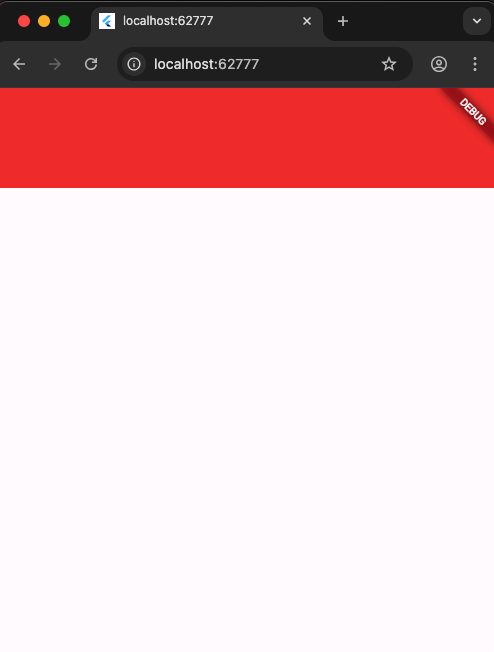
SliverToBoxAdapter
1
2
3
4
5
6
7
8
9
10
11
12
13
14
15
16
17
18
class _MainPageState extends State<MainPage> {
  @override
  Widget build(BuildContext context) {
    return MaterialApp(
        home: Scaffold(
      body: CustomScrollView(
        slivers: [
          SliverToBoxAdapter(
            child: Container(
              height: 100,
              color: Colors.red,
            ),
          ),
        ],
      ),
    ));
  }
}
SliverPersistentHeader 吸頂元件
delegate 屬性需要一個class繼承SliverPersistentHeaderDelegate
1
2
3
4
5
6
7
8
9
10
11
12
13
14
15
16
17
18
19
20
21
22
23
24
25
26
class _MainPageState extends State<MainPage> {
  ScrollController _controller = ScrollController();
  @override
  Widget build(BuildContext context) {
    return MaterialApp(
        home: Scaffold(
      body: CustomScrollView(
        slivers: [
          SliverToBoxAdapter(
            child: Container(
              height: 100,
              color: Colors.red,
            ),
          ),
          // 吸頂元件
          SliverPersistentHeader(
            // delegate
          	delegate: MyCategory(),
            // 吸頂功能
            pinned: true,
          )
        ],
      ),
    ));
  }
}
delegate
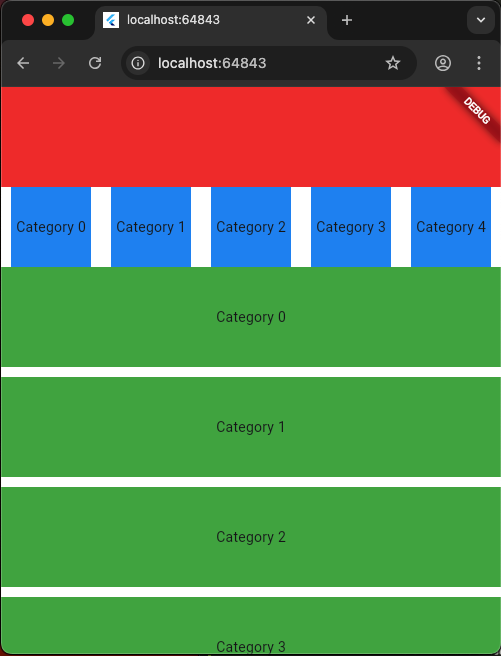
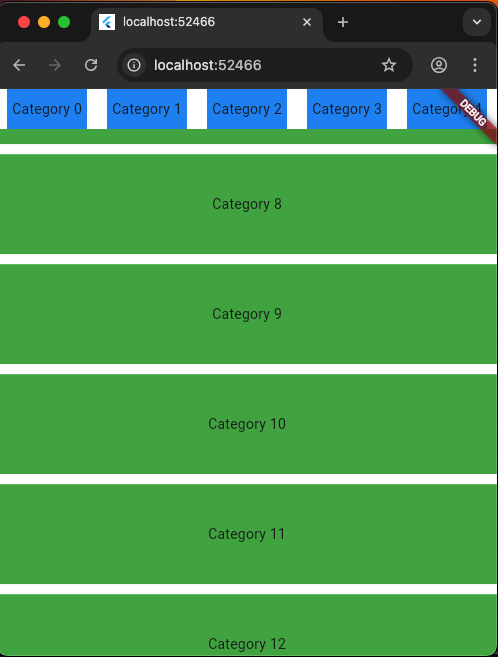
這個功能是當滑到下面,上面的Head會收合高度變40,滑回最上面,又會展開高度變80。
以下是主要四個要實作的方法,分別是build()、maxExtent、minExtent、shouldRebuild()。
- build() 可以收合的子元素
- maxExtent 最大展開高度
- minExtent 最小收合高度
- shouldRebuild 是否每一次重新Load都要建構子元素。
展開:
收合:
1
2
3
4
5
6
7
8
9
10
11
12
13
14
15
16
17
18
19
20
21
class MyCategory extends SliverPersistentHeaderDelegate {
  @override
  Widget build(BuildContext context, double shrinkOffset, bool overlapsContent) {
    // 可以收合的子元素
    return 子元素
  }

  // 最大展開高度
  @override
  double get maxExtent => 80;

  // 最小收合高度
  @override
  double get minExtent => 40;

  @override
  bool shouldRebuild(covariant SliverPersistentHeaderDelegate oldDelegate) {
    // TODO: implement shouldRebuild
    // 不用重新建構
    return false;
  }
SliverList 清單列表
語法:
SliverList.separated(
  // 數量
  itemCount: 50,
  // 子元件 樣式
  itemBuilder: (BuildContext context, int index) {
    return 每一列的子元件
  },
  // 分隔線 樣式
  separatorBuilder: (BuildContext context, int index) {
    return 分隔線元件
  }
)
1
2
3
4
5
6
7
8
9
10
11
12
13
14
15
16
17
18
19
20
21
22
23
24
25
26
27
28
29
30
31
32
33
34
35
36
37
38
class _MainPageState extends State<MainPage> {
  @override
  Widget build(BuildContext context) {
    return MaterialApp(
        home: Scaffold(
      body: CustomScrollView(
        slivers: [
          SliverToBoxAdapter(
            child: Container(
              height: 100,
              color: Colors.red,
            ),
          ),
          SliverPersistentHeader(
            delegate: MyCategory(),
            pinned: true,
          ),
          SliverList.separated(
              itemCount: 50,
              itemBuilder: (BuildContext context, int index) {
                return Container(
                  height: 100,
                  alignment: Alignment.center,
                  color: Colors.green,
                  child: Text('Category $index'),
                );
              },
              separatorBuilder: (BuildContext context, int index) {
                return Container(
                  height: 10,
                  color: Colors.white,
                );
              })
        ],
      ),
    ));
  }
}
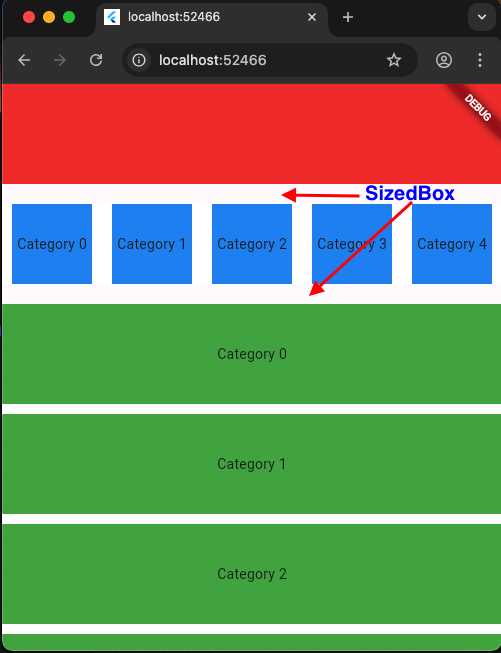
SliverToBoxAdapter SizedBox間隔
需要間隔,使用SizeBox,但要用SliverToBoxAdapter來包裝。
1
2
3
SliverToBoxAdapter(
	child: SizedBox(height: 20),
),
1
2
3
4
5
6
7
8
9
10
11
12
13
14
15
16
17
18
19
20
21
22
23
24
25
26
27
28
29
30
31
32
33
34
35
36
37
38
39
40
41
42
43
44
45
46
47
48
49
class _MainPageState extends State<MainPage> {
  @override
  Widget build(BuildContext context) {
    return MaterialApp(
        home: Scaffold(
      body: CustomScrollView(
        slivers: [
          // 標題
          SliverToBoxAdapter(
            child: Container(
              height: 100,
              color: Colors.red,
            ),
          ),
          // 間隔
          SliverToBoxAdapter(
            child: SizedBox(height: 20),
          ),
          // 吸頂元件
          SliverPersistentHeader(
            delegate: MyCategory(),
            pinned: true,
          ),
          // 間隔
          SliverToBoxAdapter(
            child: SizedBox(height: 20),
          ),
          // 清單元件
          SliverList.separated(
              itemCount: 50,
              itemBuilder: (BuildContext context, int index) {
                return Container(
                  height: 100,
                  alignment: Alignment.center,
                  color: Colors.green,
                  child: Text('Category $index'),
                );
              },
              separatorBuilder: (BuildContext context, int index) {
                return Container(
                  height: 10,
                  color: Colors.white,
                );
              })
        ],
      ),
    ));
  }
}
SliverGrid 網格
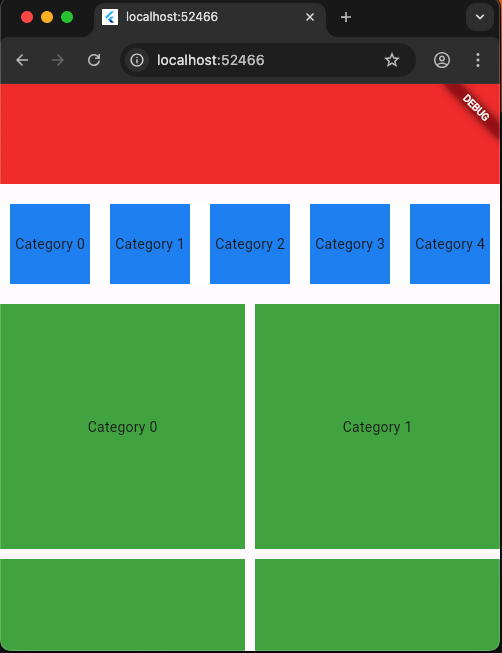
1
2
3
4
5
6
7
8
9
10
11
12
13
14
15
16
17
18
19
20
21
22
23
24
25
26
27
28
29
30
31
32
33
34
35
36
37
38
39
40
41
42
43
class _MainPageState extends State<MainPage> {
  @override
  Widget build(BuildContext context) {
    return MaterialApp(
        home: Scaffold(
      body: CustomScrollView(
        slivers: [
          SliverToBoxAdapter(
            child: Container(
              height: 100,
              color: Colors.red,
            ),
          ),
          SliverToBoxAdapter(
            child: SizedBox(height: 20),
          ),
          SliverPersistentHeader(
            delegate: MyCategory(),
            pinned: true,
          ),
          SliverToBoxAdapter(
            child: SizedBox(height: 20),
          ),
          // 網格
          SliverGrid.count(
            crossAxisCount: 2,  // 欄數
            mainAxisSpacing: 10,  // 上下間隔
            crossAxisSpacing: 10, // 左右間隔
            children: List.generate(
              10,
              (index) => Container(
                height: 100,
                alignment: Alignment.center,
                color: Colors.green,
                child: Text('Category $index'),
              ),
            ),
          ),
        ],
      ),
    ));
  }
}