PageView
PageController為切換頁面。
使用以下語法換頁:
_pageController.animateToPage()
_pageController.jumpTo()
使用_currentPage變數記錄目前的頁面。
int _currentPage = 0;
使用setState(),修改_currentPage變數:
setState(() {
  _currentPage = index;
});
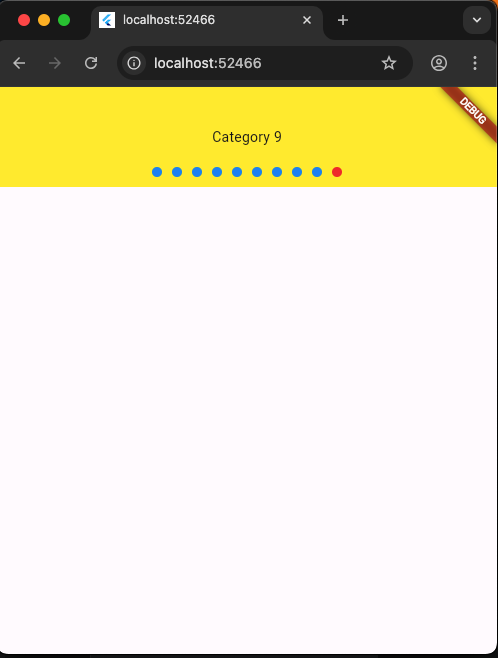
1
2
3
4
5
6
7
8
9
10
11
12
13
14
15
16
17
18
19
20
21
22
23
24
25
26
27
28
29
30
31
32
33
34
35
36
37
38
39
40
41
42
43
44
45
46
47
48
49
50
51
52
53
54
55
56
57
58
59
60
61
62
63
64
65
66
67
68
69
70
71
72
73
74
75
76
77
78
79
80
81
82
83
84
import 'package:flutter/material.dart';

void main() {
  runApp(MainPage());
}

class MainPage extends StatefulWidget {
  MainPage({Key? key}) : super(key: key);

  @override
  _MainPageState createState() => _MainPageState();
}

class _MainPageState extends State<MainPage> {
  // 目前頁數
  int _currentPage = 0;
  // controller
  PageController _pageController = PageController(initialPage: 0);
  @override
  Widget build(BuildContext context) {
    return MaterialApp(
        home: Scaffold(
      body: Stack(children: [
        // 輪播圖
        Container(
          height: 100,
          child: PageView.builder(
            // controller 可以jumpTo到某個頁面
            controller: _pageController,
            itemCount: 10,
            itemBuilder: (context, index) {
              return Container(
                height: 100,
                alignment: Alignment.center,
                color: Colors.yellow,
                child: Text('Category $index'),
              );
            },
          ),
        ),
        // 圓點
        Positioned(
          // 靠底 對齊
          bottom: 0,
          // left 0 , right 0 為左右拉伸
          left: 0,
          right: 0,
          child: Container(
              height: 20,
              child: Row(
                mainAxisAlignment: MainAxisAlignment.center,
                children: List.generate(10, (index) {
                  return GestureDetector(
                      // 按一下事件
                      onTap: () {
                        // 換頁
                        _pageController.animateToPage(index,
                            duration: Duration(milliseconds: 300),
                            curve: Curves.easeInOut);
                        // 修改_currentPage狀態
                        setState(() {
                          _currentPage = index;
                        });
                      },
                      child: Container(
                        width: 10,
                        height: 10,
                        // 左右間隔
                        margin: EdgeInsets.symmetric(horizontal: 5),
                        // 圓點樣式
                        decoration: BoxDecoration(
                          // 若為選擇頁面,圓點則為紅色。
                          color:
                              _currentPage == index ? Colors.red : Colors.blue,
                          borderRadius: BorderRadius.circular(5),
                        ),
                      ));
                }),
              )),
        ),
      ]),
    ));
  }
}