Column
Column是垂直排列,所以主軸(mainAxis)就是垂直。
crossAxis就是水平。
	mainAxis
		|
		|
		|
		|
------------------> crossAxis
		|
		|
		|
		|
有A、B、C,三個Text(),垂直排列範例:
A
B
C
| 屬性 | 說明 |
|---|---|
| mainAxisAlignment 主軸 | 垂直對齊 |
| crossAxisAlignment 交叉軸 | 水平對齊 |
| children | 子元素 |
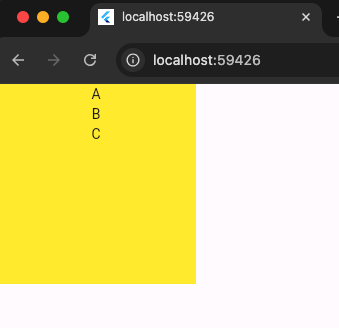
以下程式碼,文字垂直方向排列,預設為置中。
	A
	B
	C
1
2
3
4
5
6
7
8
9
10
11
12
13
14
15
16
17
18
19
20
21
22
23
24
25
26
27
import 'package:flutter/material.dart';

void main() {
  runApp(MainPage());
}

class MainPage extends StatelessWidget {
  const MainPage({Key? key}) : super(key: key);

  @override
  Widget build(BuildContext context) {
    return MaterialApp(
        home: Scaffold(
      body: Container(
        width: 200,
        height: 200,
        color: Colors.yellow,
        child: Column(
          children: [
            Text("A"),
            Text("B"),
          ],
        ),
      ),
    ));
  }
}
對齊方式
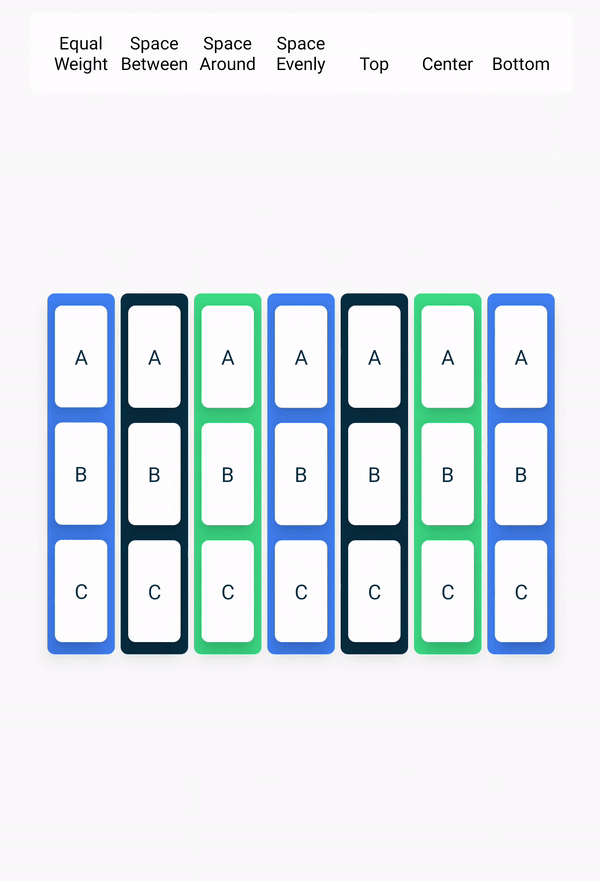
垂直對齊 mainAxis
start: 上
A
B
C
.
.
.
end: 下
.
.
.
A
B
C
spaceBetween: 上下各一個元素,中間置中。
A
.
.
B
.
.
C
spaceAround: item1與item2與item3之間有三個空格。
·
·
[item1]
·
·
·
[item2]
·
·
·
[item3]
·
·
spaceEvenly: 空間平均分配。
·
·
[item1]
·
·
[item2]
·
·
[item3]
·
·
水平對齊 crossAxis
- start 靠左
- center 置中
- end 靠右
程式碼
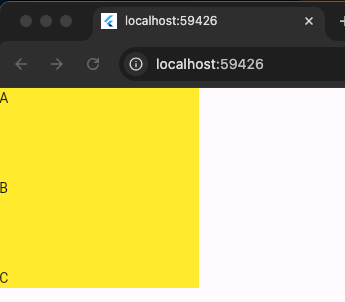
以下程式碼,垂直分散對齊,水平靠左對齊。
1
2
3
4
5
6
7
8
9
10
11
12
13
14
15
16
17
18
19
20
21
22
23
24
25
26
27
28
29
30
import 'package:flutter/material.dart';

void main() {
  runApp(MainPage());
}

class MainPage extends StatelessWidget {
  const MainPage({Key? key}) : super(key: key);

  @override
  Widget build(BuildContext context) {
    return MaterialApp(
        home: Scaffold(
      body: Container(
        width: 200,
        height: 200,
        color: Colors.yellow,
        child: Column(
          mainAxisAlignment: MainAxisAlignment.spaceBetween,
          crossAxisAlignment: CrossAxisAlignment.start,
          children: [
            Text("A"),
            Text("B"),
            Text("C"),
          ],
        ),
      ),
    ));
  }
}