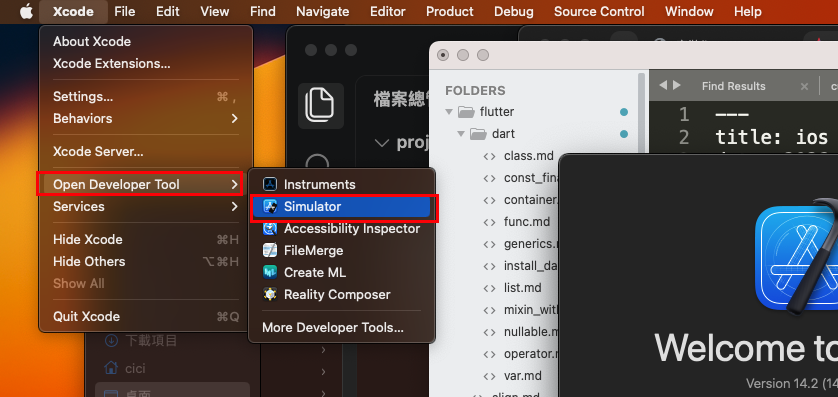
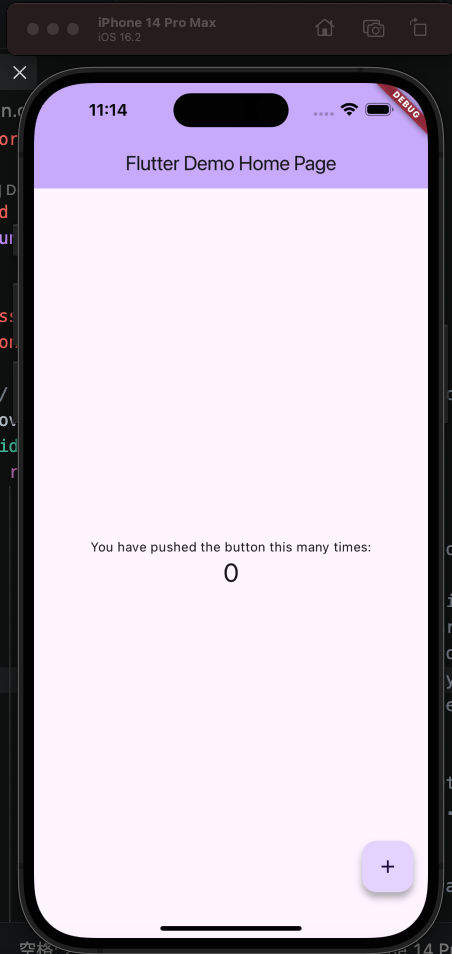
點擊xcode > Open Developer Tool > Simulator
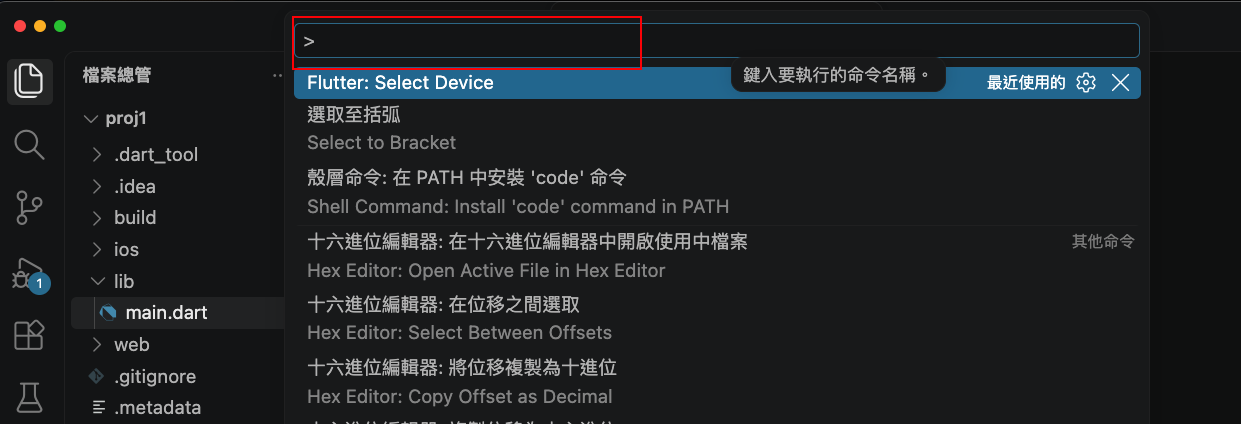
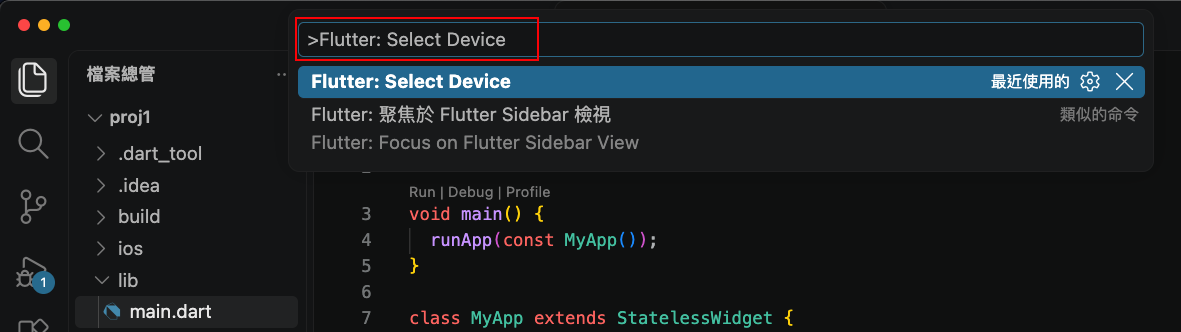
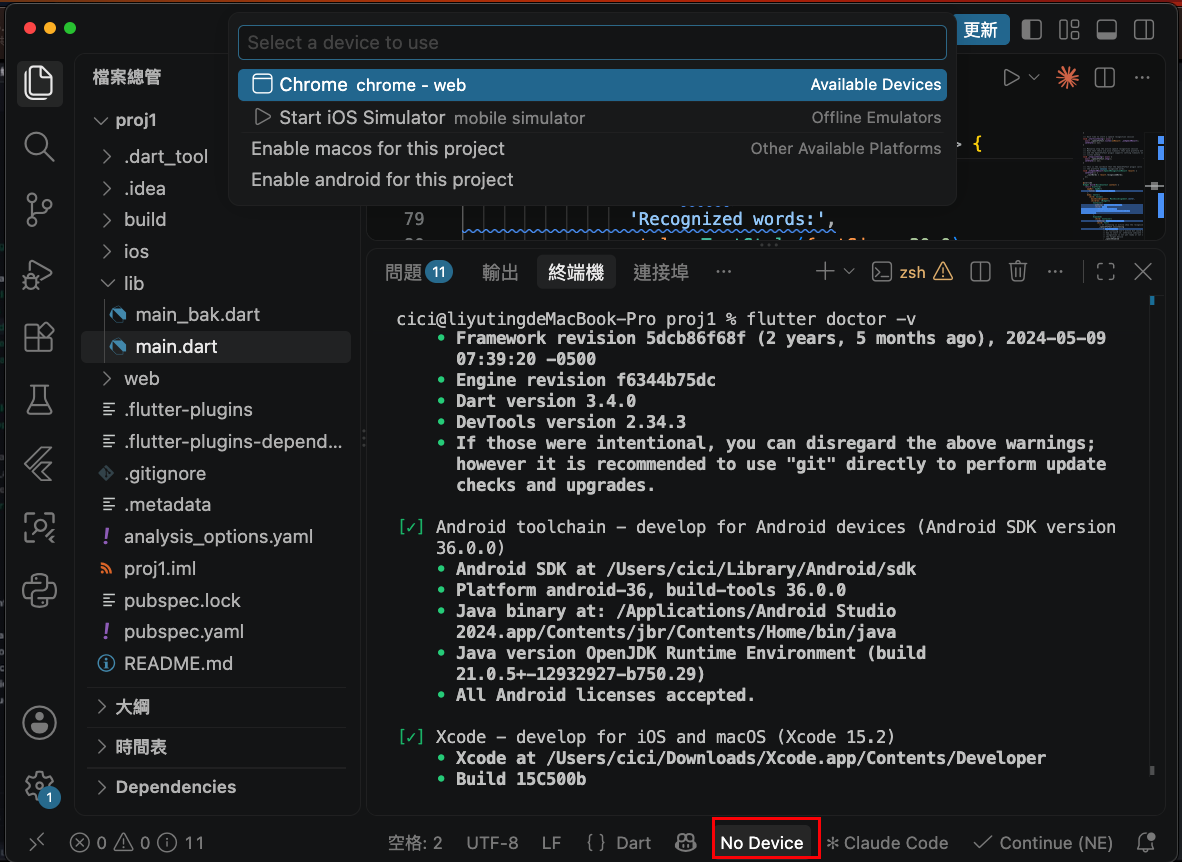
按 F1 鍵盤快速鍵輸入並選擇 Flutter: Select Device
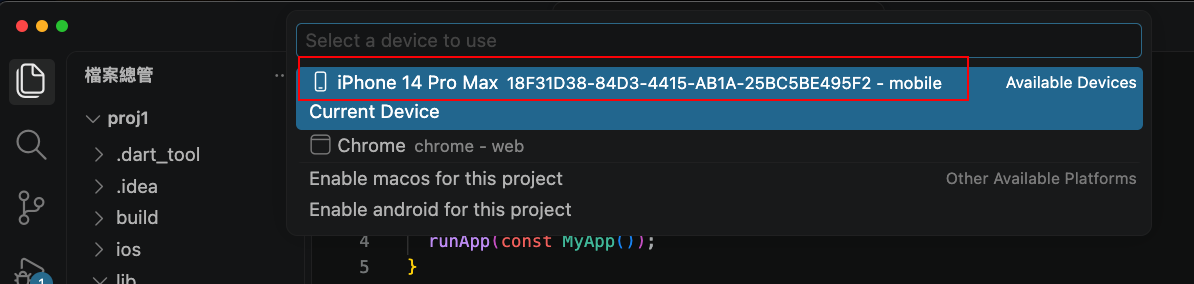
選擇你的模擬器
也可以按最下方,選擇設備
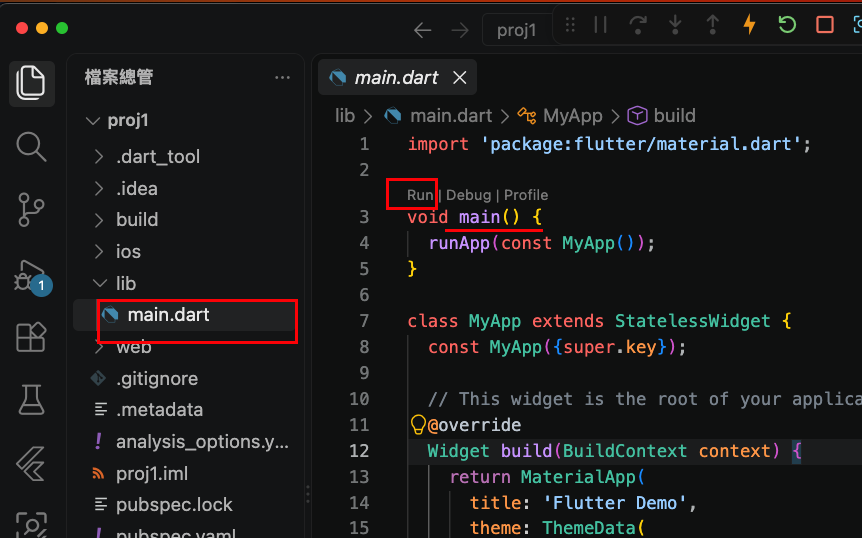
點擊main的run,如下圖