Stack, Positioned
Stack 堆疊
Stack,中文是堆疊。
| 屬性 | 說明 |
|---|---|
| alignment | 對齊,預設為左上角 |
| children | 子元素 |
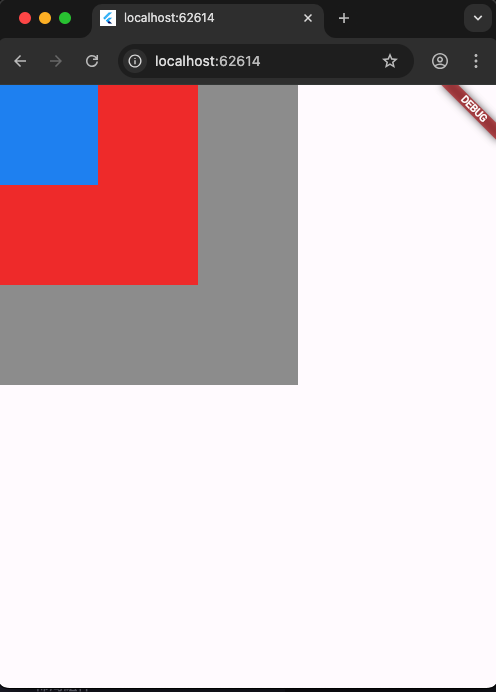
以下程式碼執行完後,會一層一層堆疊,最後面的Container放在最上面。
1
2
3
4
5
6
7
8
9
10
11
12
13
14
15
16
17
18
19
20
21
22
23
24
25
26
27
28
29
30
31
32
33
34
35
36
import 'package:flutter/material.dart';

void main() {
  runApp(MainPage());
}

class MainPage extends StatelessWidget {
  const MainPage({Key? key}) : super(key: key);
  @override
  Widget build(BuildContext context) {
    return MaterialApp(
        home: Scaffold(
      body: Container(
        child: Stack(
          children: [
            Container(
              color: Colors.grey,
              width: 300,
              height: 300,
            ),
            Container(
              color: Colors.red,
              width: 200,
              height: 200,
            ),
            Container(
              color: Colors.blue,
              width: 100,
              height: 100,
            ),
          ],
        ),
      ),
    ));
  }
}
置中
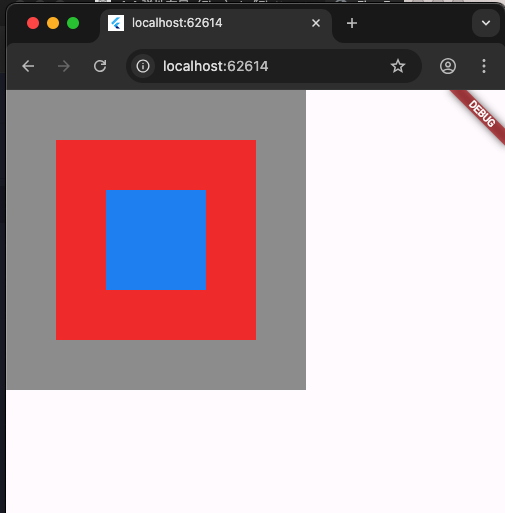
增加置中對齊
alignment: Alignment.center,
1
2
3
4
5
6
7
8
9
10
11
12
13
14
15
16
17
18
19
20
21
22
23
24
25
26
27
28
29
30
31
32
33
34
35
36
37
import 'package:flutter/material.dart';

void main() {
  runApp(MainPage());
}

class MainPage extends StatelessWidget {
  const MainPage({Key? key}) : super(key: key);
  @override
  Widget build(BuildContext context) {
    return MaterialApp(
        home: Scaffold(
      body: Container(
        child: Stack(
          alignment: Alignment.center,
          children: [
            Container(
              color: Colors.grey,
              width: 300,
              height: 300,
            ),
            Container(
              color: Colors.red,
              width: 200,
              height: 200,
            ),
            Container(
              color: Colors.blue,
              width: 100,
              height: 100,
            ),
          ],
        ),
      ),
    ));
  }
}
Positioned 位置
Stack要包住Positioned。
Positioned,中文是位置,子元素要放在畫面中那個位置。
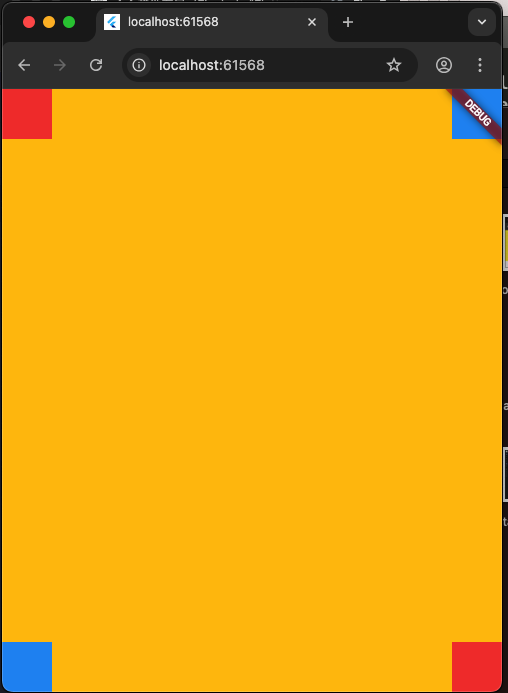
下面程式碼,執行後上、下、左、右有四個小方塊。
1
2
3
4
5
6
7
8
9
10
11
12
13
14
15
16
17
18
19
20
21
22
23
24
25
26
27
28
29
30
31
32
33
34
35
36
37
38
39
40
41
42
43
44
45
46
47
48
49
50
51
52
53
54
55
56
57
58
59
60
import 'package:flutter/material.dart';

void main() {
  runApp(MainPage());
}

class MainPage extends StatelessWidget {
  const MainPage({Key? key}) : super(key: key);
  @override
  Widget build(BuildContext context) {
    return MaterialApp(
        home: Scaffold(
      body: Container(
        color: Colors.amber,
        width: double.infinity,
        height: double.infinity,
        child: Stack(
          children: [
            Positioned(
              top: 0,
              left: 0,
              child: Container(
                width: 50,
                height: 50,
                color: Colors.red,
              ),
            ),
            Positioned(
              top: 0,
              right: 0,
              child: Container(
                width: 50,
                height: 50,
                color: Colors.blue,
              ),
            ),
            Positioned(
              bottom: 0,
              left: 0,
              child: Container(
                width: 10,
                height: 10,
                color: Colors.red,
              ),
            ),
            Positioned(
              bottom: 0,
              right: 0,
              child: Container(
                width: 50,
                height: 50,
                color: Colors.red,
              ),
            ),
          ],
        ),
      ),
    ));
  }
}
Positioned 拉伸(自適應)
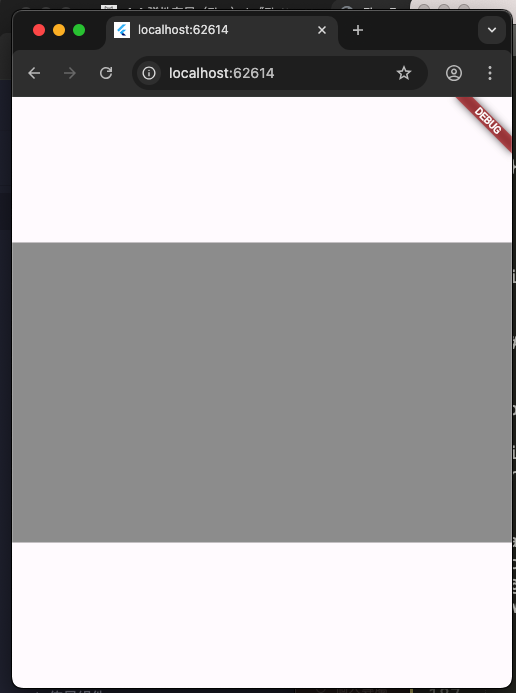
right 0 left 0 左右拉伸
1
2
3
4
5
6
7
8
9
10
11
12
13
14
15
16
17
18
19
20
21
22
23
24
25
26
27
28
29
30
31
import 'package:flutter/material.dart';

void main() {
  runApp(MainPage());
}

class MainPage extends StatelessWidget {
  const MainPage({Key? key}) : super(key: key);
  @override
  Widget build(BuildContext context) {
    return MaterialApp(
        home: Scaffold(
      body: Container(
        child: Stack(
          alignment: Alignment.center,
          children: [
            Positioned(
              right: 0,
              left: 0,
              child: Container(
                color: Colors.grey,
                width: 300,
                height: 300,
              ),
            ),
          ],
        ),
      ),
    ));
  }
}
top 0 bottom 0 上下拉伸
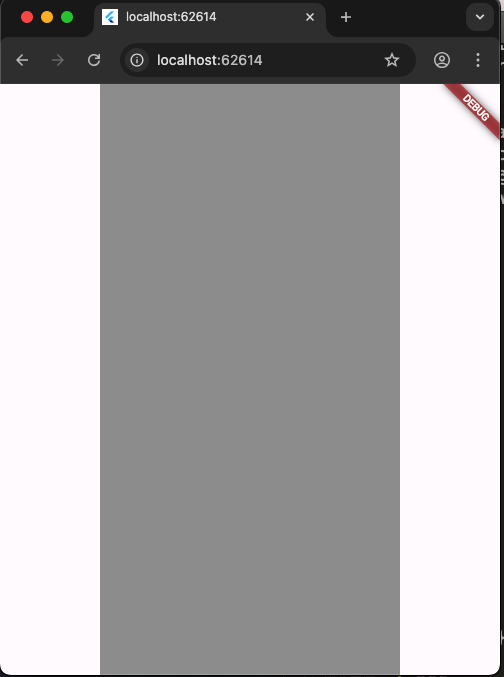
1
2
3
4
5
6
7
8
9
10
11
12
13
14
15
16
17
18
19
20
21
22
23
24
25
26
27
28
29
30
31
import 'package:flutter/material.dart';

void main() {
  runApp(MainPage());
}

class MainPage extends StatelessWidget {
  const MainPage({Key? key}) : super(key: key);
  @override
  Widget build(BuildContext context) {
    return MaterialApp(
        home: Scaffold(
      body: Container(
        child: Stack(
          alignment: Alignment.center,
          children: [
            Positioned(
              top: 0,
              bottom: 0,
              child: Container(
                color: Colors.grey,
                width: 300,
                height: 300,
              ),
            ),
          ],
        ),
      ),
    ));
  }
}