Padding Margin EdgeInsets
Container中padding, margin 屬性是EdgeInsets類別。
EdgeInsets
| 方法 | 說明 |
|---|---|
| all | 統一設定上下左右間隔 |
| only | 個別設定上下左右間隔 |
| symmetric | horizontal左右二邊間隔大小,vertical上下間隔大小 |
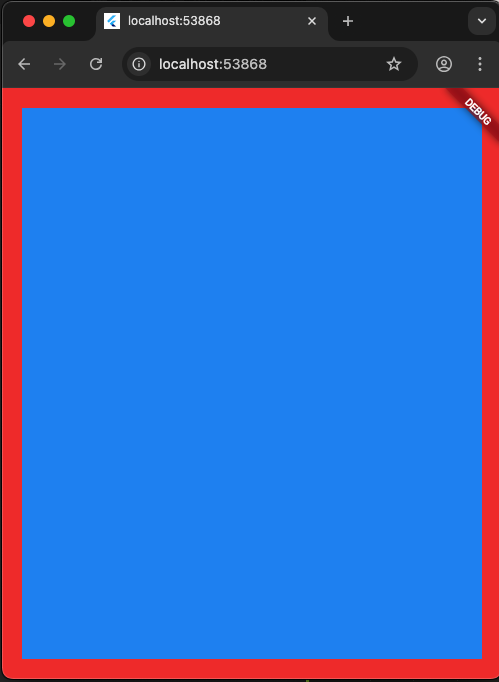
EdgeInsets.all(double value)
1
2
3
4
5
6
7
8
9
10
11
12
13
14
15
16
17
18
19
20
21
22
23
24
25
import 'package:flutter/material.dart';

void main() {
  runApp(MainPage());
}

class MainPage extends StatelessWidget {
  const MainPage({Key? key}) : super(key: key);
  @override
  Widget build(BuildContext context) {
    return MaterialApp(
        home: Scaffold(
            body: Container(
                padding: EdgeInsets.all(20),
                width: double.infinity,
                height: double.infinity,
                color: Colors.red,
                child: Container(
                  alignment: Alignment.center,
                  width: double.infinity,
                  height: double.infinity,
                  color: Colors.blue,
                ))));
  }
}
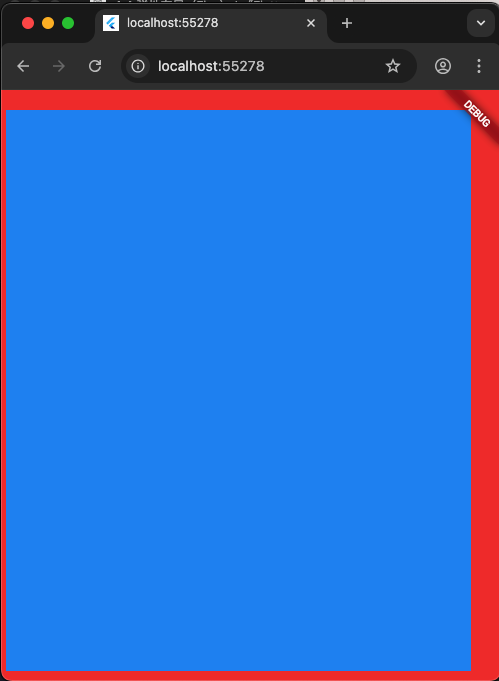
EdgeInsets.only(top,left,right,bottom)
可以只設定top
EdgeInsets.only(top: 20)
1
2
3
4
5
6
7
8
9
10
11
12
13
14
15
16
17
18
19
20
class MainPage extends StatelessWidget {
  const MainPage({Key? key}) : super(key: key);
  @override
  Widget build(BuildContext context) {
    return MaterialApp(
        home: Scaffold(
            body: Container(
                padding:
                    EdgeInsets.only(top: 20, left: 5, right: 30, bottom: 10),
                width: double.infinity,
                height: double.infinity,
                color: Colors.red,
                child: Container(
                  alignment: Alignment.center,
                  width: double.infinity,
                  height: double.infinity,
                  color: Colors.blue,
                ))));
  }
}
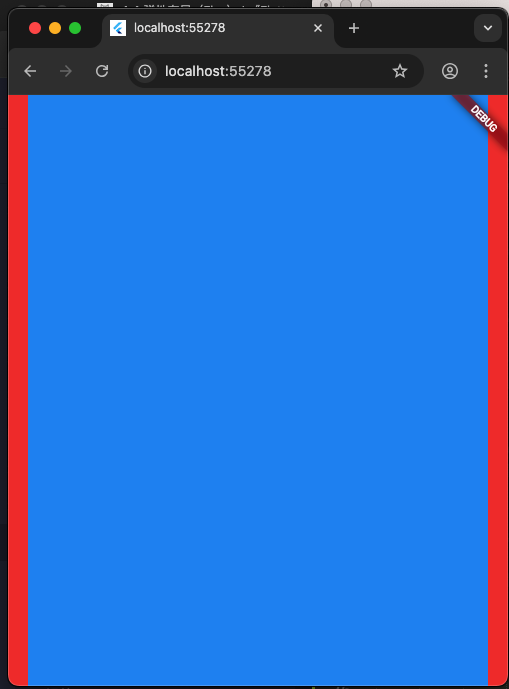
EdgeInsets.symmetric(horizontal)
1
2
3
4
5
6
7
8
9
10
11
12
13
14
15
16
17
18
19
class MainPage extends StatelessWidget {
  const MainPage({Key? key}) : super(key: key);
  @override
  Widget build(BuildContext context) {
    return MaterialApp(
        home: Scaffold(
            body: Container(
                padding: EdgeInsets.symmetric(horizontal: 20),
                width: double.infinity,
                height: double.infinity,
                color: Colors.red,
                child: Container(
                  alignment: Alignment.center,
                  width: double.infinity,
                  height: double.infinity,
                  color: Colors.blue,
                ))));
  }
}
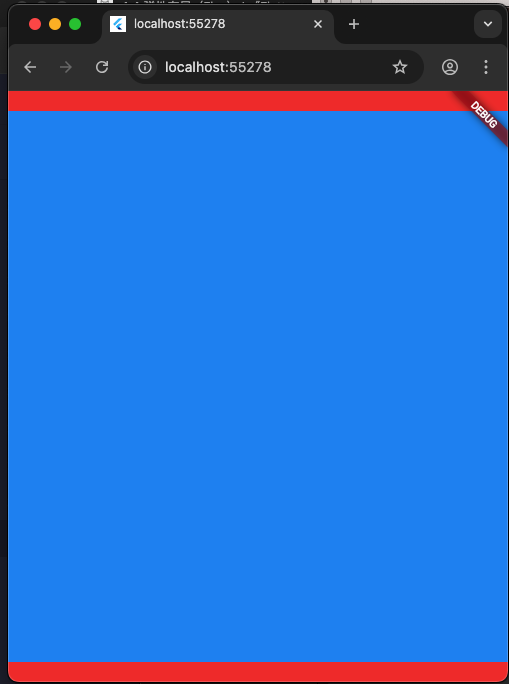
EdgeInsets.symmetric(vertical)
可以同時設定vertical跟horizontal。
EdgeInsets.symmetric(vertical: 10,horizontal: 20)
1
2
3
4
5
6
7
8
9
10
11
12
13
14
15
16
17
18
19
class MainPage extends StatelessWidget {
  const MainPage({Key? key}) : super(key: key);
  @override
  Widget build(BuildContext context) {
    return MaterialApp(
        home: Scaffold(
            body: Container(
                padding: EdgeInsets.symmetric(vertical: 20),
                width: double.infinity,
                height: double.infinity,
                color: Colors.red,
                child: Container(
                  alignment: Alignment.center,
                  width: double.infinity,
                  height: double.infinity,
                  color: Colors.blue,
                ))));
  }
}
Padding組件
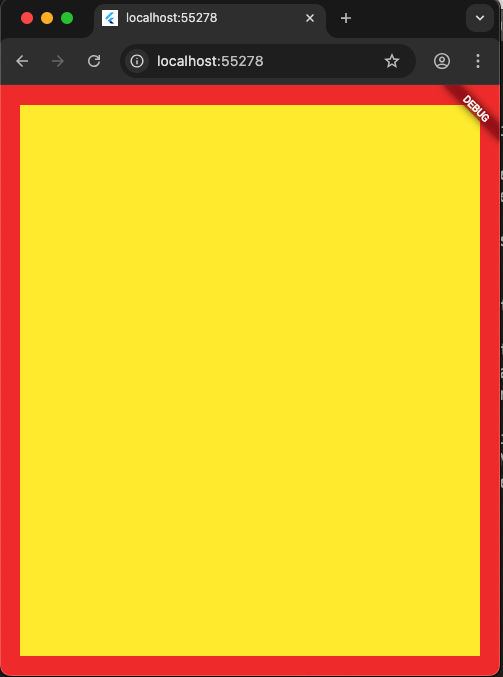
1
2
3
4
5
6
7
8
9
10
11
12
13
14
15
16
17
18
19
20
21
class MainPage extends StatelessWidget {
  const MainPage({Key? key}) : super(key: key);
  @override
  Widget build(BuildContext context) {
    return MaterialApp(
        home: Scaffold(
            body: Container(
                width: double.infinity,
                height: double.infinity,
                color: Colors.red,
                child: Padding(
                  padding: EdgeInsets.all(20),
                  child: Container(
                    alignment: Alignment.center,
                    width: double.infinity,
                    height: double.infinity,
                    color: Colors.yellow,
                  ),
                ))));
  }
}